Report Module Guide: Vendor Evaluation Based On PO
Module Location
Purchasing > Reports > Vendor Evaluation Based On PO
Module Objective
The Vendor Evaluation Based On PO Report module is used to generate a scorecard or performance evaluation report for suppliers (vendors). This report assesses suppliers based on historical data from Purchase Orders (POs) and related transactions, using key metrics such as quality, on-time delivery, and price.
1. Report Parameters (Filter)
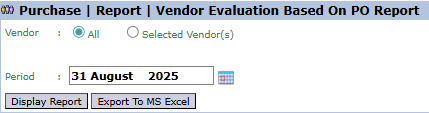
The main page of this module is a form containing several parameters to customize the report that will be generated.
Here is an explanation for each parameter:
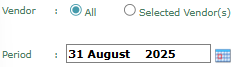
Vendor:
Select All to evaluate all vendors, or select Selected Vendor(s) for a specific vendor.
Period:
Specify the end date ('cut-off') for the evaluation period (e.g., August 31, 2025).
2. Steps to Generate the Report
Step 1: Set Report Parameters
Define the Vendor scope and the evaluation Period.
Step 2: Generate the Report
After all parameters are set, click one of the two buttons in the bottom-left section of the page:
Display Report: To preview the evaluation report directly on your screen.
Export To MS Excel: To download the report data in an Excel file format.
3. Example of the Report View
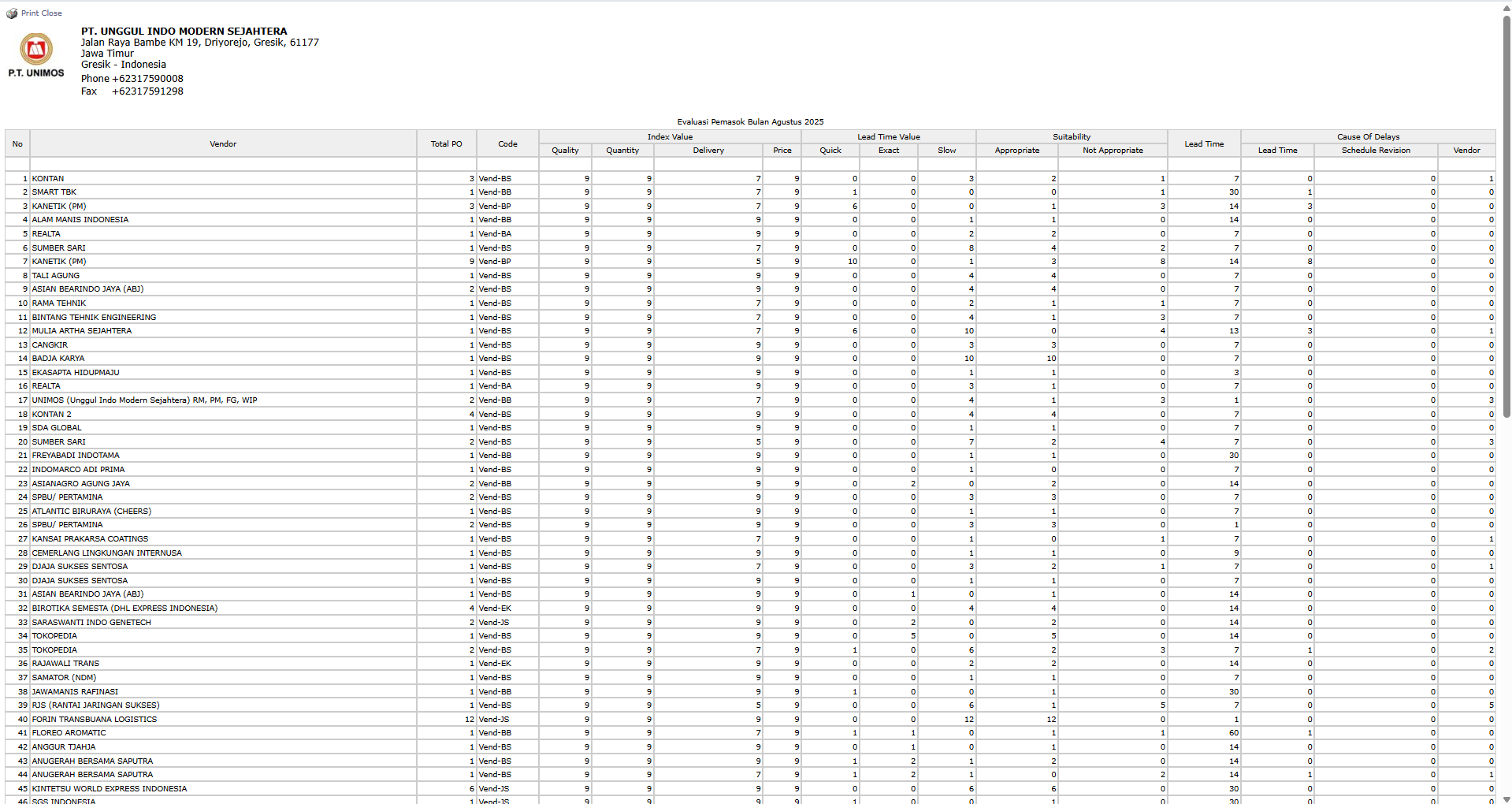
After you click, the system will generate a detailed scorecard report like the following.
Report Explanation: This report presents a performance scorecard for each vendor, which allows for direct comparison.
Key Columns for Analysis:
Total PO: The number of Purchase Orders from that vendor during the evaluation period.
Index Value: Displays a numerical score for Quality, Delivery, and Price. A higher score indicates better performance.
Lead Time Value: Analyzes the delivery lead time performance, whether it was Exact (On-Time), Slow (Late), or other statuses.
Cause Of Delays: Shows the number of delivery delays from the vendor.
Tips & Important Notes
Use this report as an objective basis when conducting performance review meetings with your key vendors.
High scores in Quality, Delivery, and Price indicate a vendor with excellent performance.
Data for this report is pulled from various modules, including Purchase Order, Goods Receipt, and likely Quality Control.



No comments to display
No comments to display