
Credit Limit Usage
Report Module Guide: Credit Limit Usage
Module Location
Sales > Reports > Invoice Reports > Credit Limit Usage
Module Objective
The Credit Limit Usage report module is used to generate a report that details the usage of the credit limit by customers. This report displays all outstanding (unpaid) documents that contribute to a customer's total receivable balance, making it easier for the sales and finance teams to manage credit risk.
1. Report Parameters (Filter)
The main page of this module is a form containing several parameters to customize the report that will be generated.
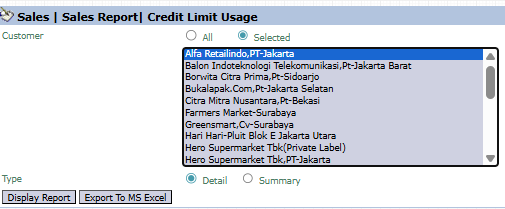
Here is an explanation for each parameter:
-
Customer:
-
Filter the report by All customers or a Selected customer that you wish to check.
-
-
Type:
-
Select the report's level of detail:
-
Detail: Displays the details of each outstanding document (invoice, debit/credit note).
-
Summary: Displays a summary of the total credit limit usage.
-
2. Steps to Generate the Report
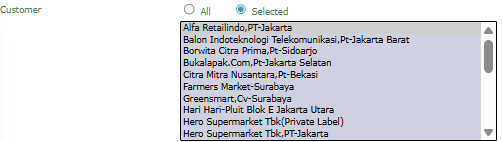
Step 1: Set Report Parameters
Select the Customer scope and the report Type that you want.

Step 2: Generate the Report
After all parameters are set, click one of the two buttons in the bottom-left section of the page:
-
Display Report: To preview the report directly on your screen.

-
Export To MS Excel: To download the report data in an Excel file format.

3. Example of the Report View
After you click, the system will generate a detailed report like the following, which details every document that affects the customer's receivable balance.
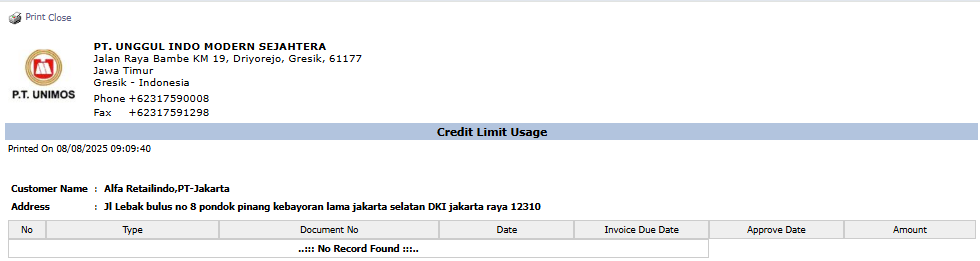
Report Explanation: This report will display a detailed list of all the documents that make up the customer's total outstanding receivable.
Key Columns:
-
Type: The type of document (e.g., Invoice, Debit Note).
-
Document No: The document's reference number.
-
Invoice Due Date: The due date.
-
Amount: The value of each outstanding document.
Tips & Important Notes
-
Use this report before approving a new Sales Order to ensure a customer does not exceed their approved credit limit.
-
This is an important tool for the Credit Control, Sales, and Accounts Receivable (AR) teams.
-
The accuracy of this report depends on the Credit Limit data being set up correctly in the customer master data or in the Sales Contract / MOU.
No comments to display
No comments to display