The General Ledger report module is used to generate a detailed list of all transactions (debits and credits) that have been recorded for a specific account or all accounts within a selected time period. This report is the primary "book of record" in accounting and is crucial for transaction tracing, analysis, and account balance reconciliation.
1. Report Parameters (General Ledger Filter)
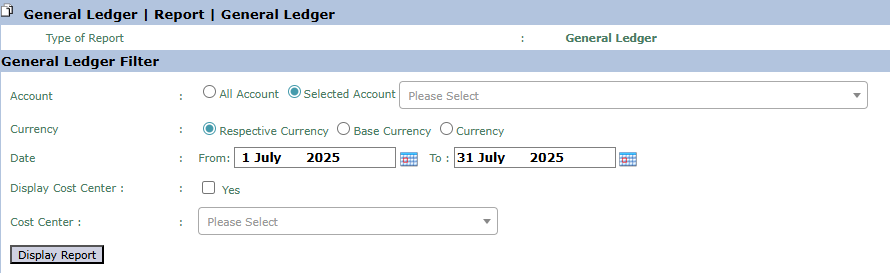
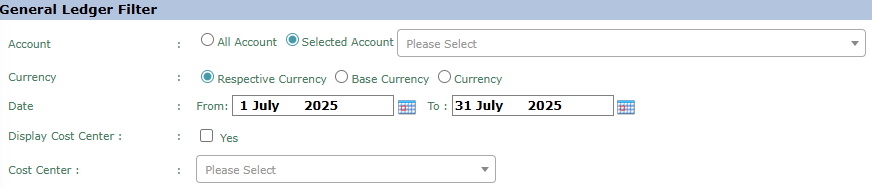
The main page of this module is a form containing various parameters to customize the General Ledger report you wish to generate.
Here is an explanation for each parameter:
Account:
Select All Account to display the general ledger for all accounts.
Select Selected Account to display the transaction details for a single, specific account that you choose from the adjacent dropdown.
Currency:
Choose how currency values will be displayed, either in Respective Currency (original transaction currency) or Base Currency (company's base currency).
Date:
Specify the From and To date range to define the period of transactions you want to display (e.g., July 1, 2025, to July 31, 2025).
Display Cost Center:
Check Yes if you want to display the Cost Center column on the report to see the allocation for each transaction.
Cost Center:
Use this dropdown to filter and only display transactions allocated to a specific department or Cost Center.
2. Steps to Generate the Report
Step 1: Set Report Parameters
Select all the parameters you need in the General Ledger Filter section. The most commonly used combination of filters is selecting a specific Selected Account and defining a Date range.
Step 2: Generate the Report
After all parameters are set, click the Display Report button in the bottom-left section of the page to view the General Ledger report.
Tips & Important Notes
The General Ledger report is the "heart" of accounting records. Use this report to trace the history of transactions in detail for a specific account.
During monthly reconciliation, this report is essential for verifying the ending balance of an account by reviewing all the transactions that make up that balance.
For departmental cost analysis, use the Cost Center filter to see all transactions charged to that department.


No comments to display
No comments to display