Sales > Reports > Sales Order Reports > Sales Order Report
Module Objective
The Sales Order Report module is used to generate a detailed list of all Sales Orders (SOs) along with their item details for a single period. This report is a primary operational tool for tracking incoming orders, monitoring sales activity, and managing the queue of orders to be processed.
1. Report Parameters (Filter)
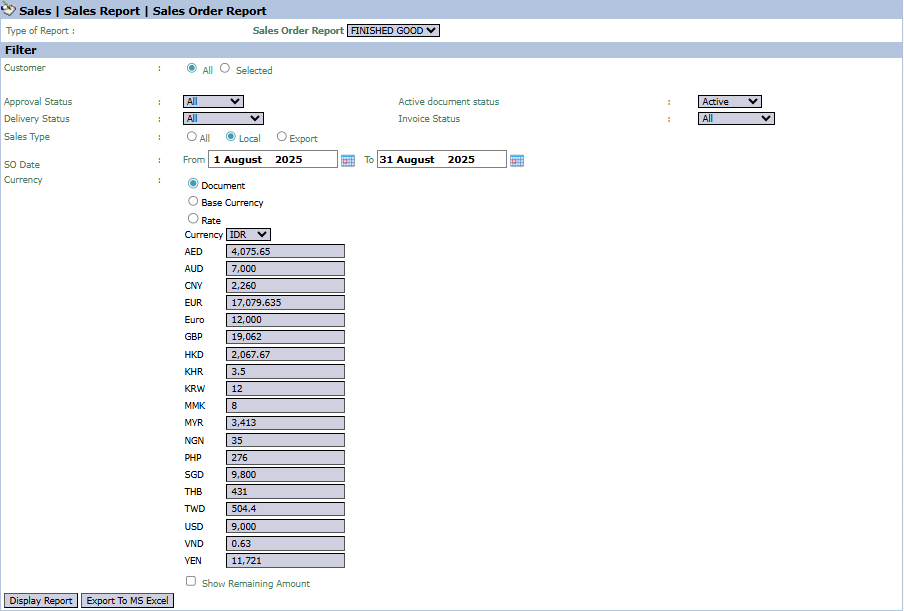
The main page of this module is a form containing various parameters to customize the report that will be generated.
Here is an explanation for each parameter:
Customer:
Filter the report by All customers or a Selected customer.
Status Filter:
There are several very useful status filters:
Approval Status: Filter by the SO's approval status.
Delivery Status: Filter by the shipping status.
Invoice Status: Filter by the billing status.
Sales Type:
Select the type of sale, whether All, Local, or Export.
SO Date:
Specify the creation date range of the SOs to be displayed (e.g., August 1, 2025, to August 31, 2025).
2. Steps to Generate the Report
Step 1: Set Report Parameters
Select all the parameters you need, especially defining the SO Date range and the relevant statuses for your analysis.
Step 2: Generate the Report
After all parameters are set, click one of the two buttons in the bottom-left section of the page:
Display Report: To preview the Sales Order report directly on your screen.
Export To MS Excel: To download the report data in an Excel file format.
3. Example of the Report View
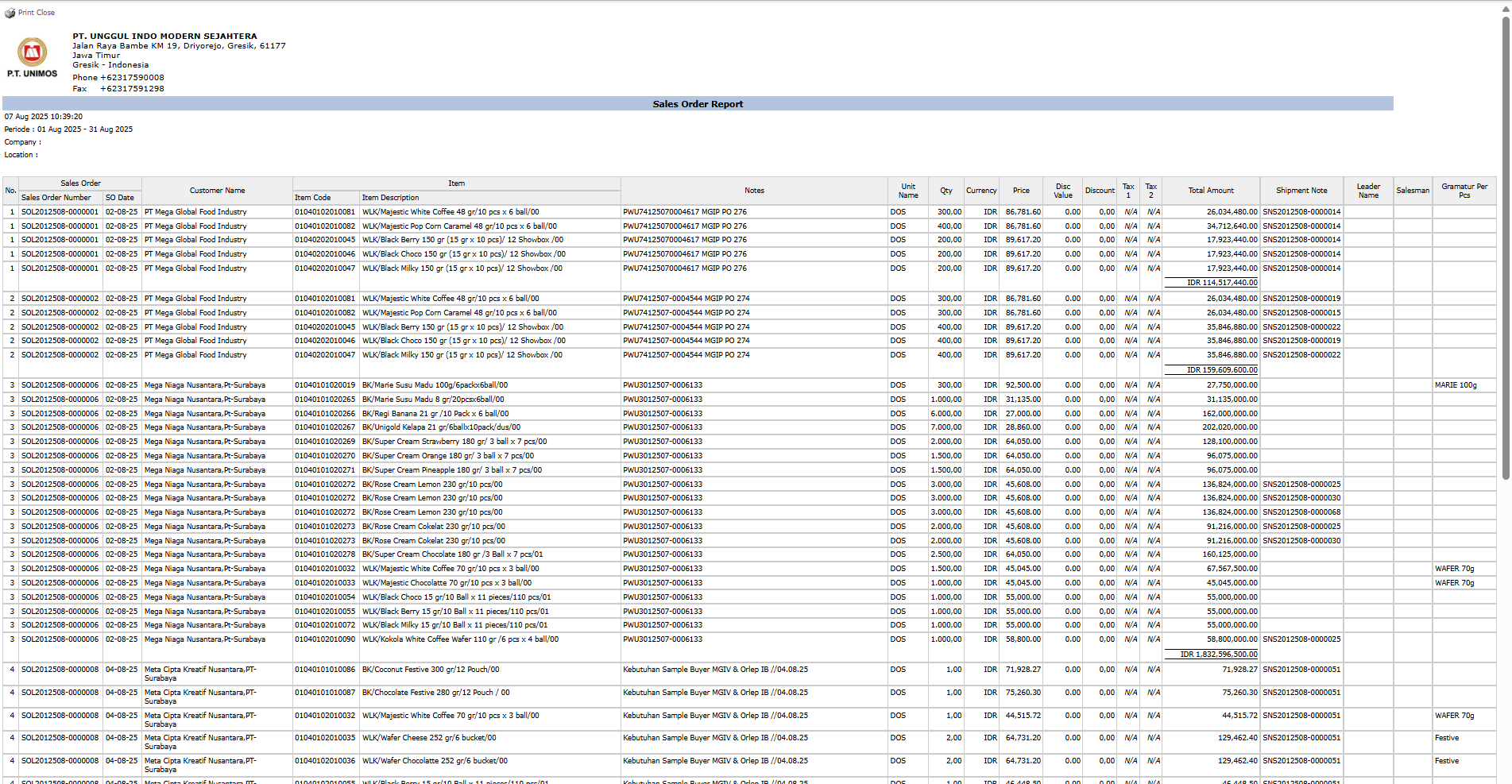
After you click, the system will generate a detailed report like the following, which details every SO and the items within it.
Report Explanation: This report displays a very detailed list of each Sales Order, which contains a breakdown per Item line.
Key Columns:
Sales Order, SO Date, Customer Name: The main information for each order.
Item Code, Item Description: Details of the products ordered.
Qty, Price, Total Amount: The quantity and value details for each order line.
Tips & Important Notes
Use this report to monitor all incoming orders from customers on a daily or weekly basis.
Filtering by Approval Status or Delivery Status is very useful for the Sales Admin and Logistics teams to know which orders require immediate follow-up.
This report provides the raw data of incoming orders, which is very useful for analyzing daily and weekly sales activity.




No comments to display
No comments to display