The Sales Forecast report module is used to display and export the company's overall sales forecast report in a highly detailed matrix format. This report presents daily sales forecast data for each product item and is a crucial input for production planning and raw material purchasing.
1. Main View (Forecast Period List)
The main page of this module displays a list of forecast periods for which data is already available in the system.
View Explanation
This page is the starting point for accessing the detailed forecast report.
Filter: You can search for a specific forecast period using the Transaction ID filter.
Period List: The table below displays all available forecast periods, based on Month and Year.
Action Column
The Action column on the right is the key to viewing the report. There are two icons:
Eye Icon (View): Click this icon to see the detailed Sales Forecast Report directly on your screen.
Excel Icon (Export): Click this icon to download the detailed report in an Excel file format.
2. Steps to View the Report
Step 1: Select a Period
In the Main View, find and locate the period (Month and Year) whose data you wish to see.
Step 2: Display or Export the Report
In the row for your selected period, click one of the icons in the Action column:
Click the eye icon to display the report on the screen.
Click the Excel icon to download the report.
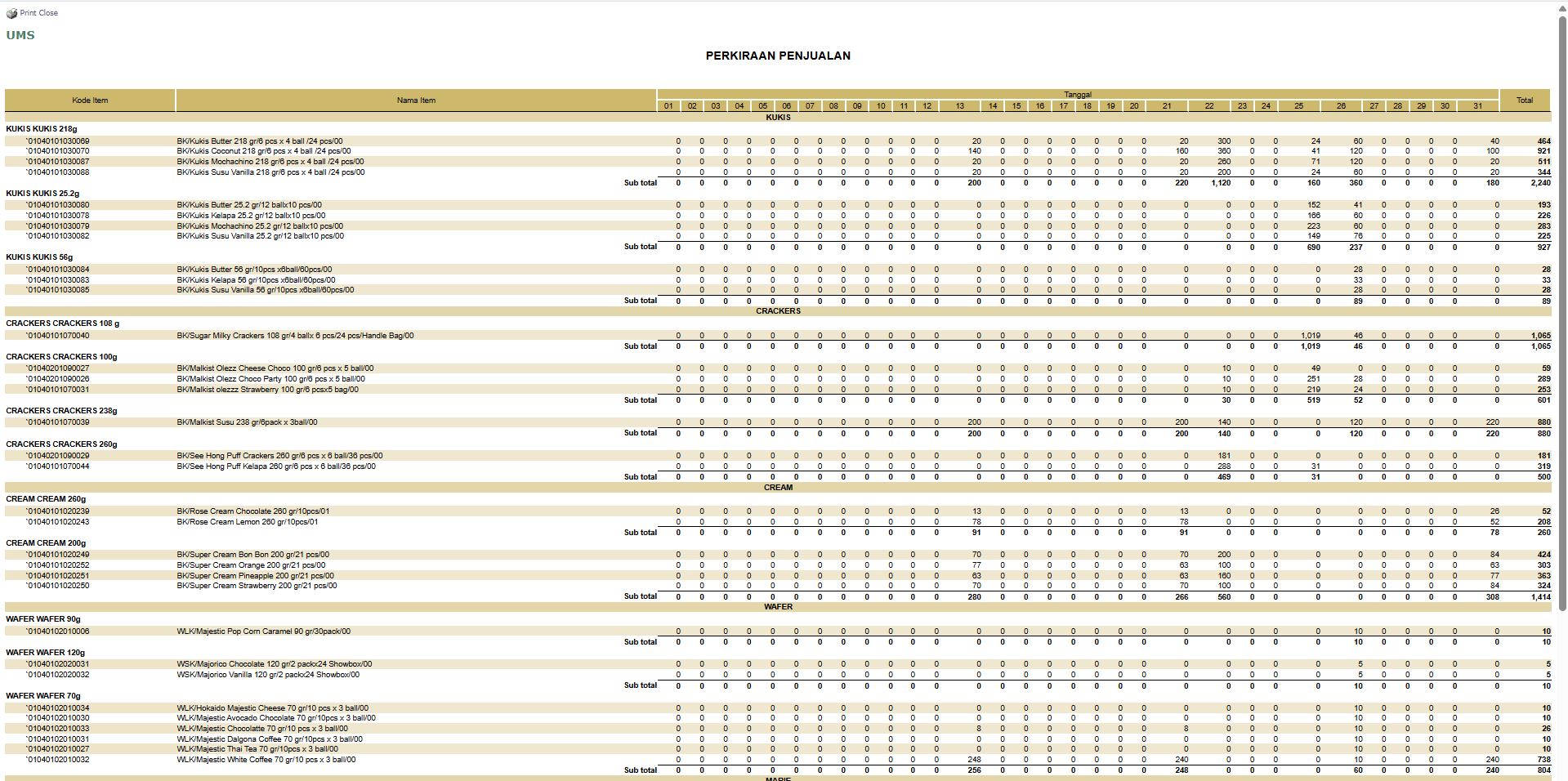
Example of the Sales Forecast Report View
After you click, the system will generate a detailed report in a matrix format as follows:
Rows: Show the Item Code and Item Name, grouped by product category (e.g., KOKIS, CRACKERS, CREAM).
Columns: Show the Dates of the month, from the 1st to the 31st, with a Total column at the end.
Data Cells: Each cell contains the forecast sales quantity for a specific item on a specific date.
Tips & Important Notes
The forecast data displayed here is most likely input via a separate module such as Upload Data Forecast. This module is specifically for viewing the results.
This report provides a very detailed view down to the daily level, which is very useful for the PPIC (Production Planning and Inventory Control) team for short-term production planning.
Use the export to Excel feature to further process the forecast data if needed.




No comments to display
No comments to display