The Transaction Journal module is a powerful and comprehensive reporting and drill-down center. Its purpose is to display all transaction details from every module in the ERP system in a single, integrated view. Although it is located within the Sales menu, this module has the ability to pull data from all areas, providing full visibility into the accounting impact of every transaction.
1. Main View (Transaction Report Center)
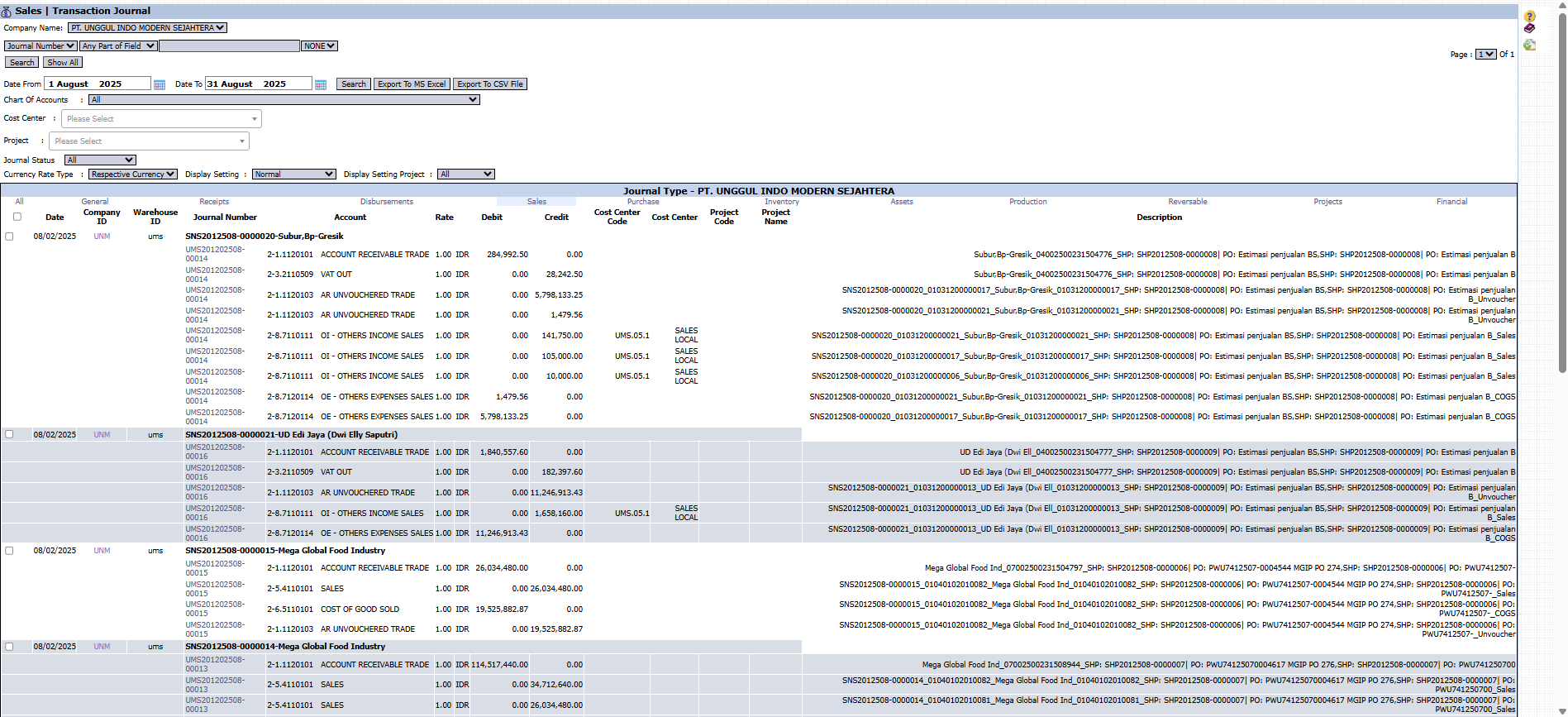
The main page of this module is an interactive report equipped with various filtering tools to help you find specific data.
Advanced Filter Functions
The top section of the page provides various filters to screen the data:
Date From / To: Specify a date range to limit the transaction period.
Chart Of Accounts: Filter transactions that only affect a specific account.
Cost Center & Project: Filter transactions that are only allocated to a specific department or project.
Journal Status: Choose to display journals with a specific status (e.g., already approved).
Table Column Explanation
The main table will display the details of each journal line, including Journal Number, Account, Debit, Credit, Cost Center, Project Name, and a very detailed Description.
Main Button Functions
Search / Show All: To apply the filters or display all data again.
Export To MS Excel / Export To CSV File: An important feature to download the displayed data for further processing outside the system.
2. Usage Example (Case Study)
Case: The Sales team wants to see the complete journaling details (including COGS) of a sales transaction for the customer "Mega Global Food Industry".
Steps:
Open the Transaction Journal module.
Set the Date range to the known transaction date (e.g., 08/02/2025).
Click Search.
Find the transaction rows related to "Mega Global Food Industry".
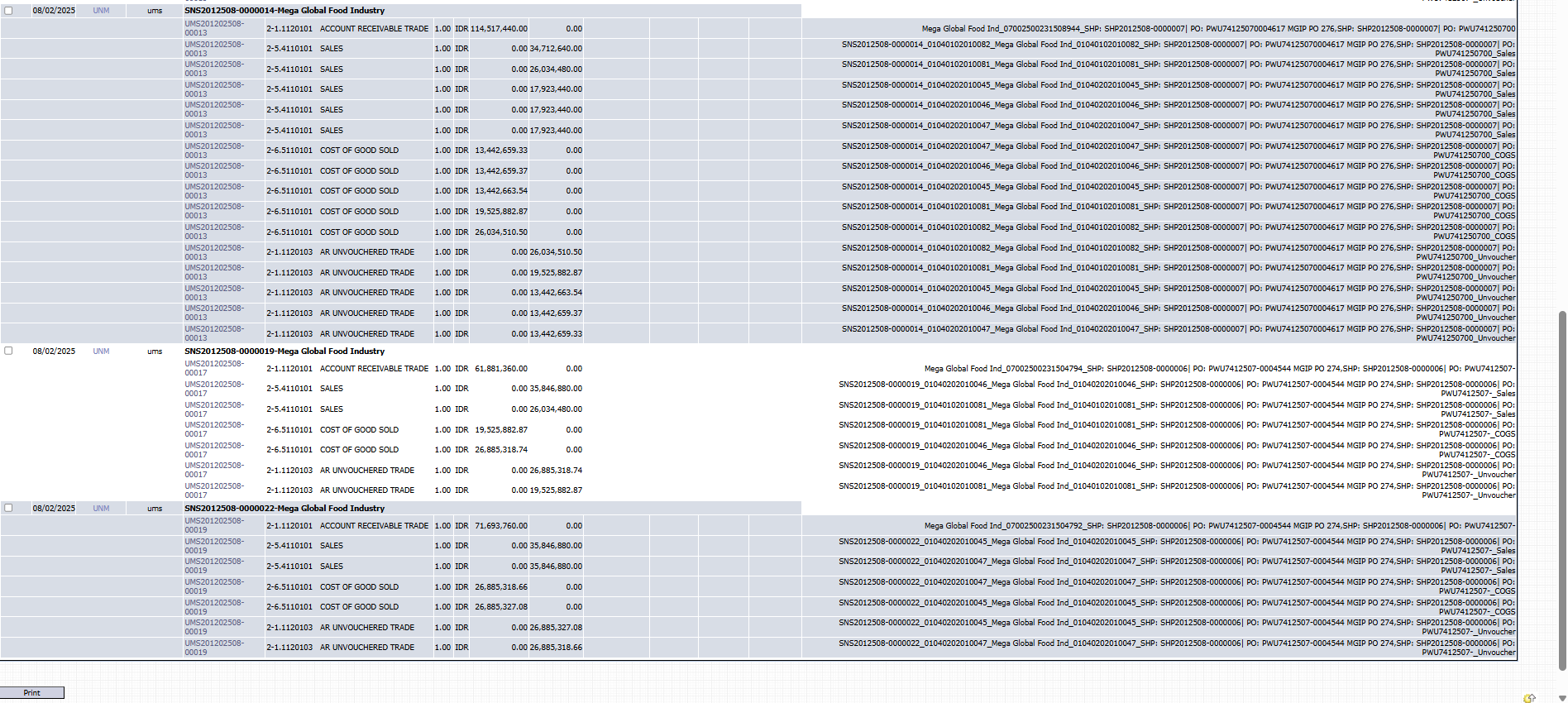
The result will display all related journal lines, from the recording of ACCOUNT RECEIVABLE TRADE, SALES, to COST OF GOOD SOLD (COGS). This data can then be exported to Excel for analysis.
Example of a Generated Report
The exported or printed report will display transaction details like the image below, detailing every debit and credit movement.
Tips & Important Notes
This module is read-only. You cannot create or modify transactions here.
This is a very useful tool for the Sales team to understand the accounting impact of every transaction they make, from revenue to the cost of goods sold.
Use the Export to MS Excel feature for more in-depth data analysis.



No comments to display
No comments to display