The PPh 23 Receipt List module serves as a tool to track and manage the receipt of PPh Article 23 withholding tax slips from customers. When a customer pays for services and withholds PPh 23 tax, they are required to provide a withholding tax slip to the company. This module helps the accounting and tax teams to monitor which tax slips have been received and which are still outstanding.
1. Main View (Receipt List)
The main page of this module displays a list of all sales transactions subject to PPh 23 and the receipt status of their withholding tax slips.
View Explanation
This page is the center for monitoring all outstanding PPh 23 withholding tax slips.
Filter: You can search for a specific transaction using the search bar based on the Sales Order Number.
Transaction List: The table below displays the details of each transaction awaiting a PPh 23 withholding tax slip. There is one example from the customer "MASEMA GLOBAL INTERNATIONAL SINGAPORE PTE. LTD" with the status "Not Received".
Column Explanation
Sales Invoice Number: The sales invoice number related to the PPh 23 withholding.
Customer: The name of the customer who withheld the PPh 23 tax.
PPh 23 Receipt List: The number or reference from the PPh 23 withholding tax slip.
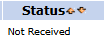
Status: Shows the receipt status of the withholding slip. "Not Received" means the slip has not yet been received from the customer.
Button Functions
Receive: The main action button to change the status to "Received" after the PPh 23 withholding tax slip has been received from the customer.
2. Steps for the PPh 23 Withholding Slip Receipt Process
Step 1: Monitor the List
Open this module routinely to see the list of PPh 23 withholding tax slips that still have a "Not Received" status.
Step 2: Receive the Withholding Slip
When you receive the PPh 23 withholding tax slip from a customer (either physical or digital), find the corresponding transaction in the list (based on the Sales Invoice Number or Customer).
Step 3: Update the Status
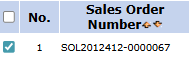
Select the transaction by checking the box in the leftmost column.
Click the Receive button in the bottom-left section of the page.
The transaction's status will change to "Received".
Tips & Important Notes
This module is very important for the Tax and Customs and Accounting (AR) teams to ensure all PPh 23 withholding tax slips are collected for the company's tax credit purposes.
The completeness of the data in this module is crucial because PPh 23 withholding tax slips are tax credits that can reduce the corporate income tax liability.
Follow up with customers whose withholding slips still have a "Not Received" status, especially when approaching tax reporting deadlines.



No comments to display
No comments to display