The Cost Center Report module is used to generate a detailed report of all financial transactions (debits and credits) that have been allocated to one or more departments (Cost Centers) within a specific time period. This report is very useful for departmental cost control and analysis.
1. Report Parameters (Filter)
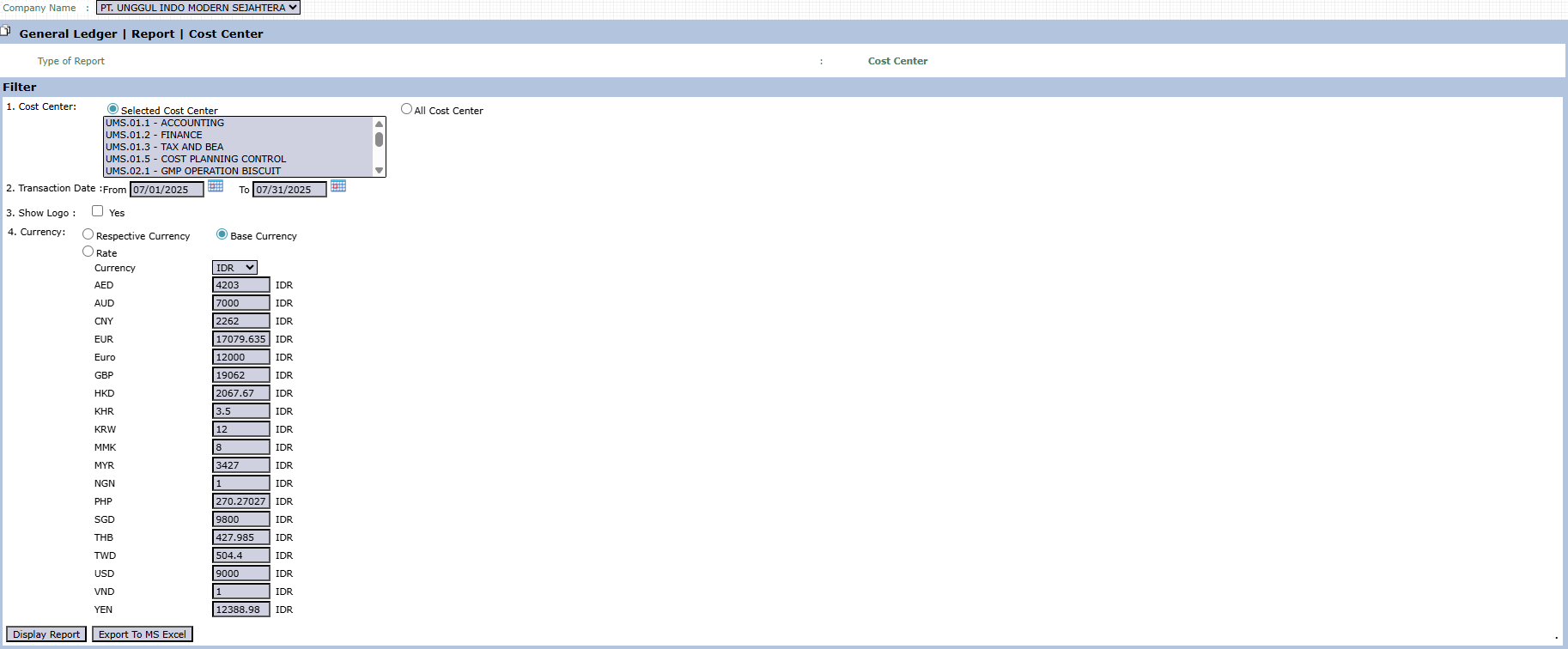
The main page of this module is a form containing various parameters to customize the report that will be generated.
Here is an explanation for each parameter:
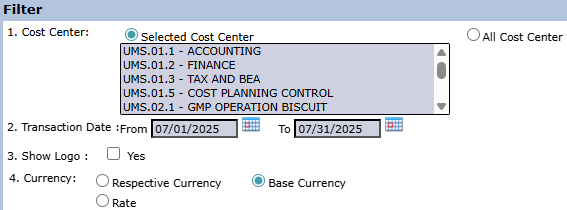
Cost Center:
This is the primary filter for this report.
Selected Cost Center: Allows you to choose one or more specific departments from a list to be analyzed.
All Cost Center: Displays a combined report of all departments.
Transaction Date:
Specify the From and To date range to define the report's period.
Show Logo:
Check Yes to display the company logo on the generated report.
Currency:
Choose how currency values will be displayed, either in Respective Currency (original transaction currency) or Base Currency (company's base currency).
2. Steps to Generate the Report
Step 1: Set Report Parameters
Select all the parameters you need, especially making sure to define the Cost Center and the Transaction Date range you wish to analyze.
Step 2: Generate the Report
After all parameters are set, click one of the two buttons in the bottom-left section of the page:
Display Report: To preview the report directly on your screen.
Export To MS Excel: To download the report data in an Excel file format.
Tips & Important Notes
This report is very useful for department managers to review and verify all transactions that have been charged to their department.
Use this report to ensure all cost allocations are correct and to analyze departmental spending patterns in detail.
The accuracy of this report is highly dependent on the discipline of correctly inputting the Cost Center allocation for every transaction in other modules (such as in the General Journal or Purchase Invoice).



No comments to display
No comments to display