
Job Profit Loss
Report Module Guide: Job Profit & Loss
Module Location
General Ledger > Report > Job Profit & Loss
Module Objective
The Job Profit & Loss report module is used to generate a profit and loss statement that is specific to a particular project. This report is crucial for project managers and management to assess the financial performance and measure the profitability of each project undertaken by the company.
1. Report Parameters (Filter)
The main page of this module is a form containing several parameters to customize the report that will be generated.
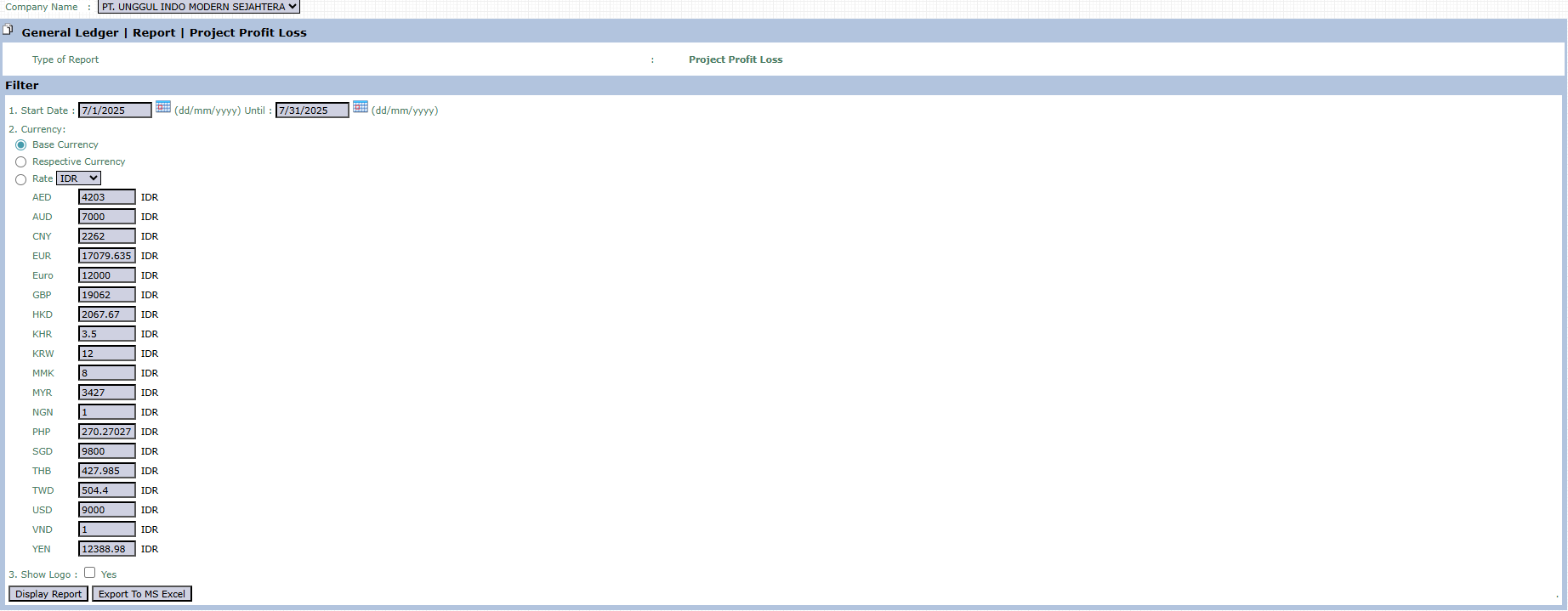
Here is an explanation for each parameter:
-
Start Date / Until:
-
Specify the Start Date and Until (End Date) range to define the report's period. The system will pull all project revenues and expenses that occurred within this date range.
-
-
Currency:
-
Choose how currency values will be displayed in the report.
-
Base Currency: Converts all values to the company's base currency (e.g., IDR).
-
Respective Currency: Displays values in the original currency of each transaction.
-
-
Show Logo:
-
Check Yes if you want to display the company logo on the generated report.
-
2. Steps to Generate the Report
Step 1: Set Report Parameters
Fill in all the parameters you need in the Filter section. Note: After filling in the existing parameters, the system will likely prompt you to select the specific Project for which you want to view the report. 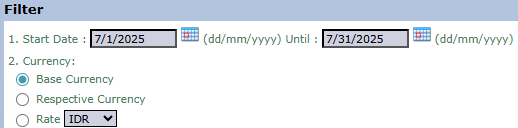
Step 2: Generate the Report
After all parameters are set, click one of the two buttons in the bottom-left section of the page:
-
Display Report: To preview the report directly on your screen.

-
Export To MS Excel: To download the report data in an Excel file format.

Tips & Important Notes
-
This report is the primary tool for measuring the profitability of each project.
-
To obtain an accurate report, ensure that all revenues and costs related to a project have been correctly recorded and allocated to that project in the transaction modules.
-
Use this report routinely (e.g., monthly) to monitor the financial health of a project and take corrective action if necessary.
No comments to display
No comments to display