
Price List Per Period
Report Module Guide: Price List by Period
Module Location
Purchasing > Price Settings > Price List by Period
Module Objective
The Price List by Period report module is used to generate a historical report that displays the last purchase price for each item within a monthly period range. This report is very useful for tracking price changes over time and for analyzing purchasing cost trends.
1. Report Parameters
The main page of this module is a form containing several parameters to customize the report that will be generated.
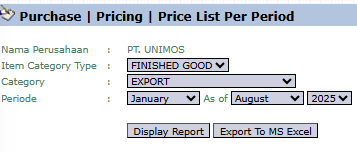
Here is an explanation for each parameter:
-
Item Category Type / Category:
-
Filter the report by the product type and category you wish to analyze (e.g., FINISHED GOOD, EXPORT).
-
-
Period:
-
Select the month range (from the As of month to a specific month) and the Year to be displayed in the report (e.g., January to August 2025).
-
2. Steps to Generate the Report
Step 1: Set Report Parameters
Select the product Category and define the Period range to be analyzed.

Step 2: Generate the Report
After all parameters are set, click one of the two buttons at the bottom:
-
Display Report: To preview the price report directly on your screen.

-
Export To MS Excel: To download the report data in an Excel file format.

3. Example of the Report View
After you click, the system will generate a detailed report in a matrix format as follows:
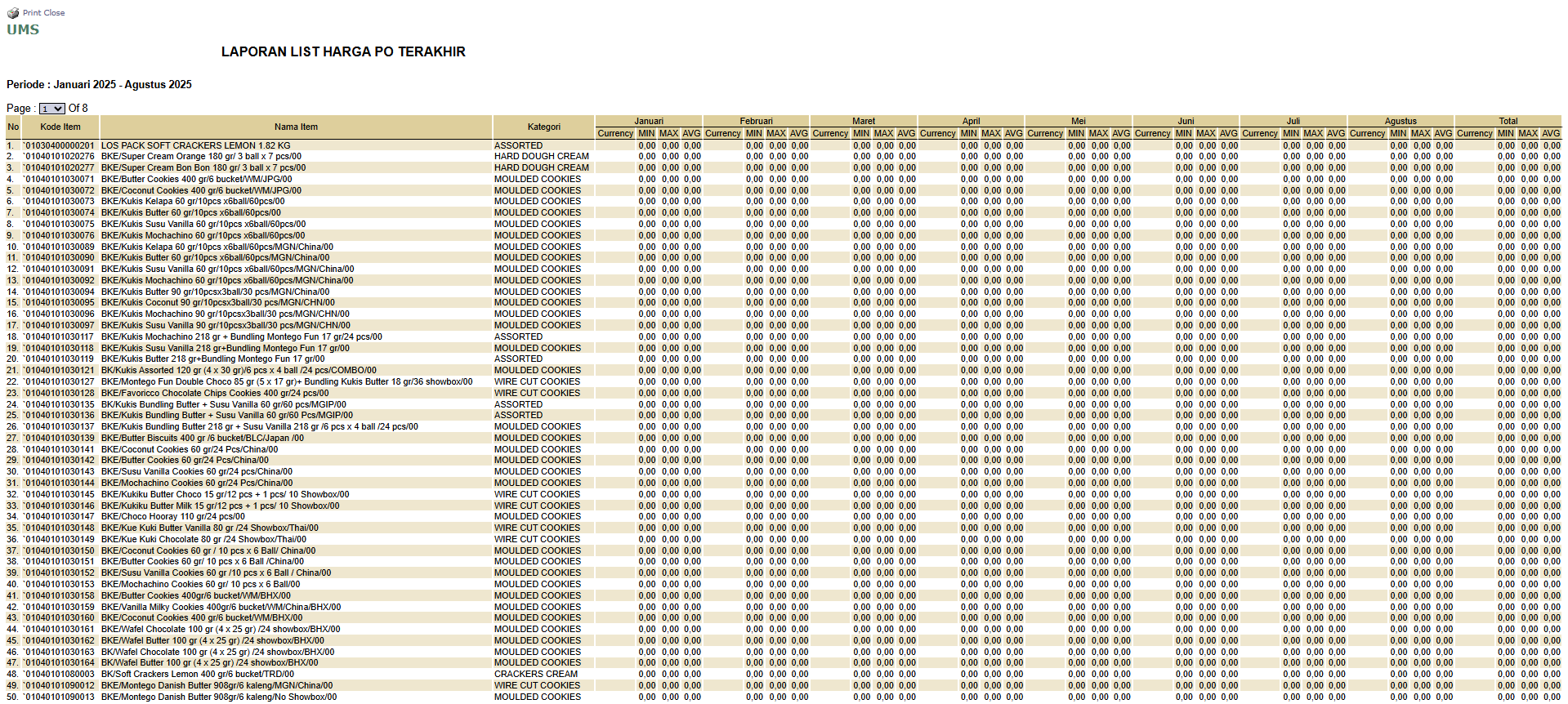
Report Explanation: The report is titled LAST PO PRICE LIST REPORT and presents historical price data from the last Purchase Order (PO) for each item, per month.
-
Rows: Display the Item Code and Item Name.
-
Columns: Display the months in your selected period. Each month has sub-columns for Qty (the last purchase quantity in that month) and Harga (Price - the last purchase price in that month).
Tips & Important Notes
-
Use this report to monitor trends of price increases or decreases from vendors for specific raw materials or products.
-
This report is very useful for the Purchasing team as material for price negotiations with vendors and for the Finance team for cost budget planning.
-
The 'Price' data in this report is pulled from the Purchase Order documents that were created in that period.
No comments to display
No comments to display