The Budget VS Actual report module is used to generate a comparative report between the established Budget values and the actual Realized values. This report is a crucial management control tool for evaluating performance, measuring efficiency, and controlling costs at both the account and department (Cost Center) levels.
1. Report Parameters (Filter)
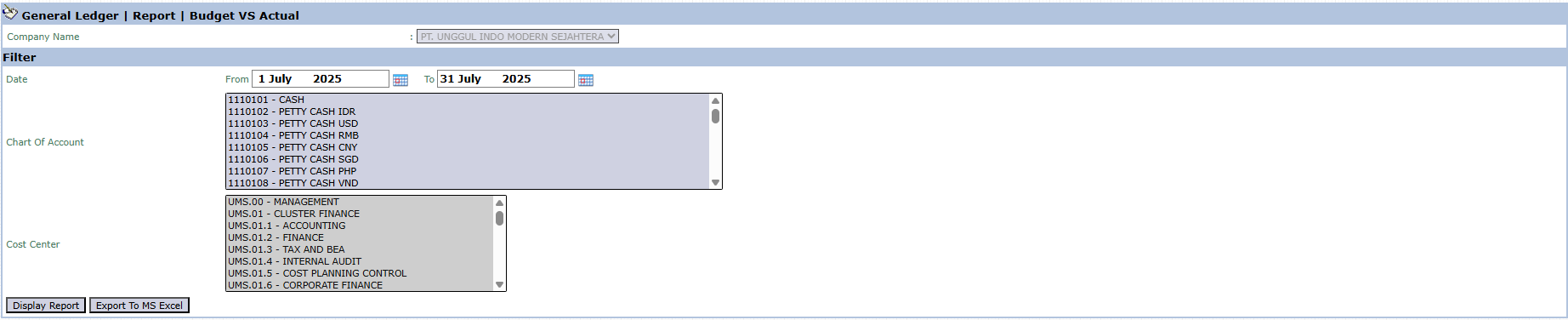
The main page of this module is a form containing various filters to define the scope of the data to be compared.
Here is an explanation for each parameter:
Date:
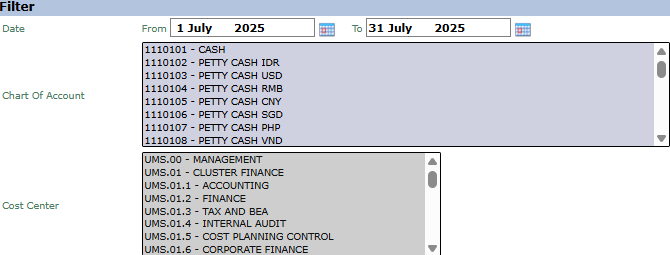
Specify the From and To date range to define the comparison period (e.g., July 1, 2025, to July 31, 2025).
Chart Of Account:
Use this list box to select one or more specific accounts you wish to analyze. You can select multiple accounts by holding down the Ctrl key while clicking.
Cost Center:
Use this list box to select one or more departments (Cost Centers) whose performance you want to compare against the budget.
2. Steps to Generate the Report
Step 1: Set Report Parameters
Select all the parameters you need in the Filter section. For example, to view your own department's performance, select your department's Cost Center and specify the relevant month's period.
Step 2: Generate the Report
After all parameters are set, click one of the two buttons in the bottom-left section of the page:
Display Report: To preview the comparative report directly on your screen.
Export To MS Excel: To download the report data in an Excel file format for further analysis.
Tips & Important Notes
This report is a very important control tool. Use it to see if your department's spending is in line with the established budget.
To obtain an accurate report, ensure that the data in the Master Budget module (for the Budget side) and all actual transactions (for the Actual side) have been entered correctly.
A department manager will typically select their own Cost Center to evaluate their monthly performance.
Use Export to MS Excel to perform more in-depth variance analysis or to add comments to the report before sharing it.



No comments to display
No comments to display