The Expedition Monitoring report module is used to generate a report that details and monitors the activities and performance of shipping service partners (expeditions). This report helps in tracking which shipments are handled by each expedition, the shipping destinations, as well as the details of the products that were shipped.
1. Report Parameters (Filter)
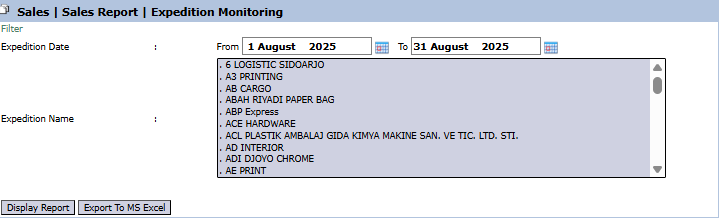
The main page of this module is a form containing various parameters to customize the report that will be generated.
Here is an explanation for each parameter:
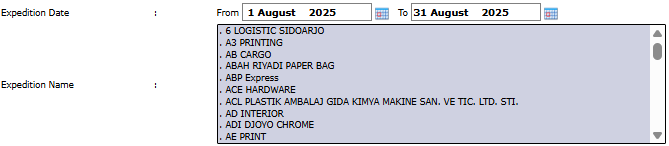
Expedition Date:
Specify the From and To date range to define the shipping period to be displayed (e.g., August 1, 2025, to August 31, 2025).
Expedition Name:
Use this list box to select one or more specific expedition names you wish to monitor (e.g., 6 LOGISTIC SIDOARJO, AB CARGO, etc.). Leave it blank to display all expeditions.
2. Steps to Generate the Report
Step 1: Set Report Parameters
Define the Expedition Date range and select an Expedition Name if you want to focus on a specific expedition.
Step 2: Generate the Report
After all parameters are set, click one of the two buttons in the bottom-left section of the page:
Display Report: To preview the monitoring report directly on your screen.
Export To MS Excel: To download the report data in an Excel file format.
3. Example of the Report View
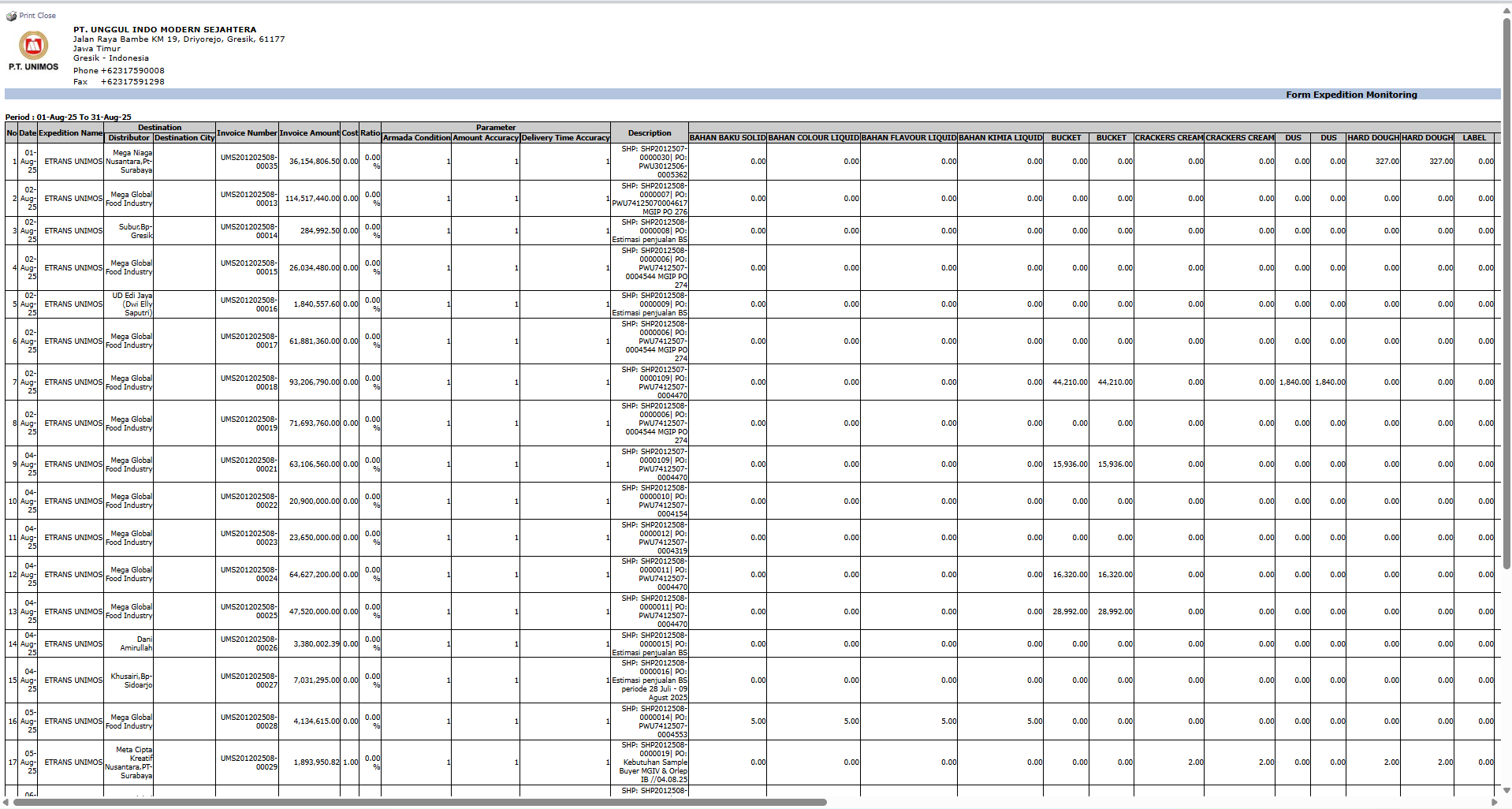
After you click, the system will generate a detailed report like the following, which details every shipment per expedition.
Report Explanation: This report presents highly detailed shipping data per transaction line, grouped by expedition.
Key Columns:
Expedition Name: The name of the expedition company that performed the shipment.
Destination: The city or area of the shipping destination.
Invoice Number & Invoice Amount: Details of the shipped invoice.
Product Category Columns (BISCUIT, CRACKERS, etc.): This section details the quantity or value of products from each category that were sent by that expedition in a single shipment.
Tips & Important Notes
Use this report to evaluate the performance of your expedition partners, for example, by looking at shipping volumes to various destinations or on-time delivery performance (Time Accuracy).
This report is very useful for the Logistics team to manage relationships and monitor the performance of third-party shipping services.
The Expedition Name filter allows you to focus the analysis on the performance of a single expedition company.



No comments to display
No comments to display