The Forecast Dist Scheduling Report (Forecast Distributor Sales Report) is an advanced analysis tool for generating various types of reports that compare actual sales data with the forecast provided by distributors. This module helps in measuring forecast accuracy, sales performance, and shipping efficiency.
1. Report Parameters (Filter)
The main page of this module is a form containing various parameters to customize the type of analysis that will be generated.
Here is an explanation for each parameter:
Customer / Customer Category:
Filter data by the customer scope, whether All, by Leader, Salesman, Distributor, or by Category.
Option Import/Export Data:
This is the key filter that determines the type of analysis to be displayed. The options likely include:
By Customer: Analyzes data per customer.
By SKU / By SKU Detail: Analyzes data per product (SKU) in summary or detail.
By Ontime KJ VS Real: Analyzes the on-time performance between commitment/schedule and actual delivery realization.
By Zero To Hero: Analyzes sales growth from zero.
Period:
Specify the From and To date range to define the analysis period (e.g., August 1, 2025, to August 31, 2025).
2. Steps to Generate the Report
Step 1: Set Report Parameters
Select all the parameters you need, especially defining the Period range and the type of analysis in the Option Import/Export Data field.
Step 2: Generate the Report
After all parameters are set, click one of the two buttons in the bottom-left section of the page:
Display Report: To preview the analysis report directly on your screen.
Export To MS Excel: To download the report data in an Excel file format.
3. Example of the Report View
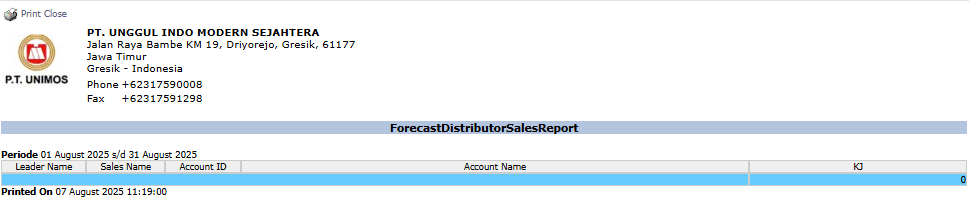
The appearance of the report will vary depending on the 'Option' you choose. The example below displays a report focused on sales team performance.
Report Explanation: This report can display various metrics. The example shows columns like Leader Name, Sales Name, and Account Name, which focuses on sales performance analysis.
Tips & Important Notes
This is an advanced analysis tool. Use the various Option Import/Export Data to get different insights from your sales and forecast data.
To get a valid comparison, ensure the forecast data from the distributor has been uploaded and the actual sales data is complete.
This report is very useful for the Sales Analyst and Management teams for evaluating distributor performance and forecast accuracy.






No comments to display
No comments to display