The Opportunity module is the primary tool for the sales team to track all potential sales transactions or deals. Each "Opportunity" entry represents one potential business deal, which is tracked through various sales stages until the deal is won or lost. This module is crucial for managing the sales pipeline and creating a sales forecast.
1. Main View (Opportunity List)
The main page of this module displays a list of all sales opportunities that exist in the system.
View Explanation
This page provides a general overview of the company's entire sales pipeline.
Filters: You can search for a specific opportunity using filters based on the Opportunity name/code or a Date From and Date To range.
Opportunity List: The table below displays all opportunities that match the filters. Its columns include Opportunity, Status, Customer, Sales Stage, Probability, Price, and Account Officer.
New Button: The primary button to create a new Opportunity entry.
2. Steps to Manage an Opportunity
The following is the complete workflow from creating to updating an Opportunity.
Step 1: Create a New Opportunity
From the Main View, click the New button in the bottom-left corner to open the New Opportunity form.
Step 2: Fill in Opportunity Details (New Opportunity Form)
Fill in all the relevant information on the form that appears. Fields marked with (*) are mandatory.
Company Name & Contact Person: Select the company name and contact person from the list of registered customers.
Opportunity Name: Give a specific name for this opportunity, for example: "Production Machine Offer Batch 2".
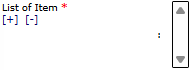
List of Item: Select the product or service the customer is interested in.
Estimate Closed Date: Enter the estimated date when this deal will be finalized (won or lost).
Sales Person: Assign the salesperson responsible for this opportunity.
Description: Provide additional notes or a description regarding this opportunity.
Sales Stage: Select the initial stage of the sales process (e.g., Prospecting, Qualification).
Price: Enter the estimated total value of this sale.
Probability: Enter the percentage chance that this deal will be successful.
Status: Select the initial status of the opportunity (e.g., Open).
Step 3: Save the Opportunity
After all mandatory fields have been completed, click the Save button at the bottom to save the new opportunity. The opportunity will now appear in the Main View.
Step 4: Update the Opportunity
As the sales process progresses (e.g., after a presentation or negotiation), the responsible Sales Person must regularly reopen and update the opportunity data, especially the Sales Stage and Probability columns, to reflect the latest progress.
Tips & Important Notes
This module is the main work tool for the Sales Local and International Business teams to manage their daily sales activities.
By keeping the data in this module up-to-date, management can see an accurate sales pipeline and create a more reliable sales forecast.
Each Sales Stage typically has a standard Probability associated with it, which helps in weighting the sales forecast.













No comments to display
No comments to display