
PDF Account Settings
Settings Module Guide
Module Location:
soApp > Settings > PDF Account Settings
The PDF Account Settings module is used to configure columns in PDF documents based on the customer. Available settings include the Item Code, Quantity, and Unit columns, allowing PDF configurations to be tailored to each customer’s document format.
-
PDF Account Settings Main View
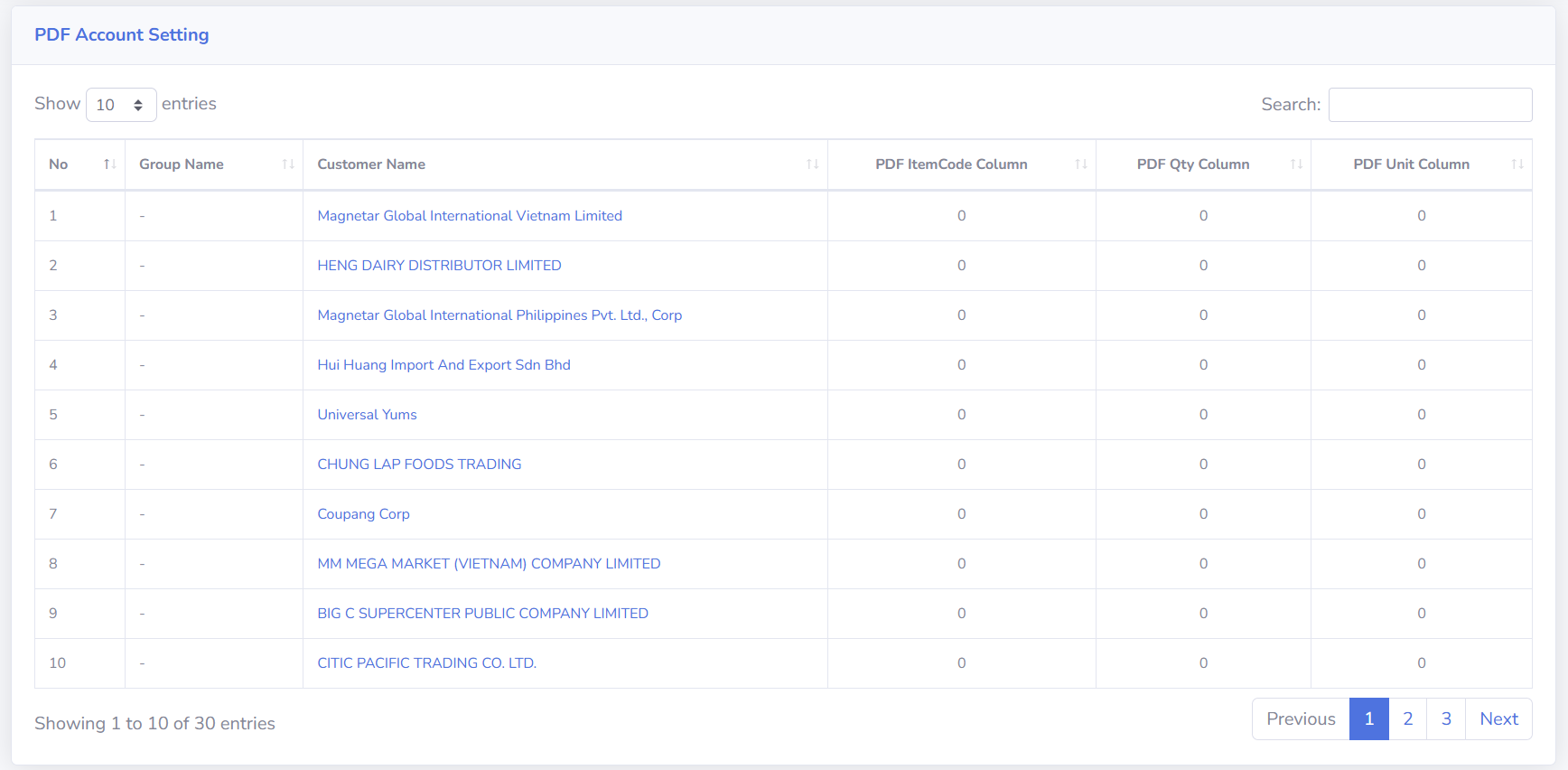
The PDF Account Settings page displays a list of customers along with their predefined PDF column configurations. Each customer can have different PDF column settings. Configuration information is displayed in a table format.
-
Column Descriptions
No Displays the sequential number of the data in the table.
Group Name Displays the customer’s group name if the customer belongs to a specific group.
If there is no Group Name, the system may display a “-”.
Customer Name Displays the name of the customer for whom a PDF configuration has been set up.
Click Customer Name to open the customer settings details page.
PDF ItemCode Column Displays the column configuration used to read or specify the Item Code in the customer’s PDF document.
PDF Qty Column Displays the column configuration used to read or specify the Quantity in the customer’s PDF document.
PDF Unit Column Displays the column configuration used to read or specify the Unit in the customer’s PDF document.
-
Tips & Important Notes
-
Make sure the selected customer is correct before making any configuration changes.
-
Double-check the Item Code, Qty, and Unit settings before saving your changes.
-
Use the Search function to find a specific customer more quickly.
-
No comments to display
No comments to display