
BC 3.0
Customs Documents Module Guide
Module Location:
CEISA > Customs Documents > BC 3.0
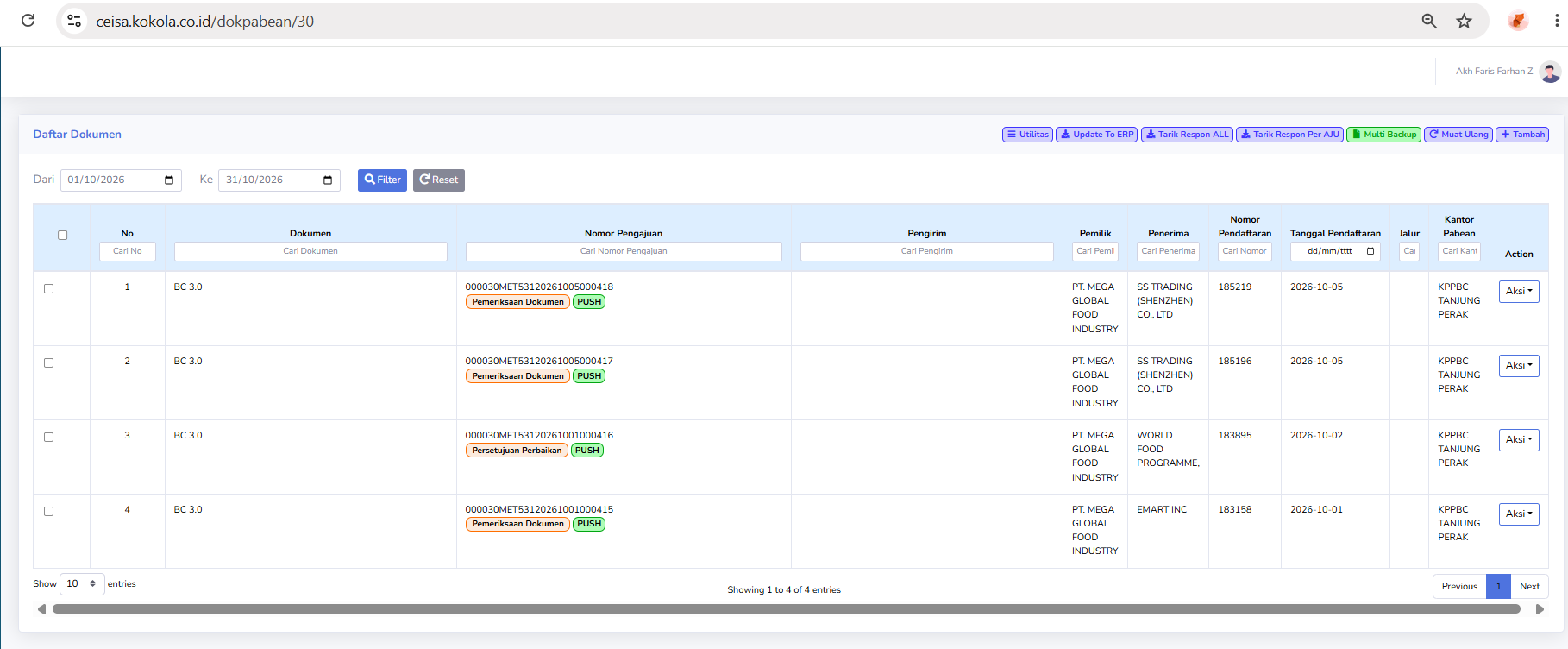
Page Display
The BC 3.0 customs document page can display:
-
Application Number
-
Sender
-
Owner
-
Recipient
-
Registration Number
-
Registration Date
-
Route
-
Customs Office
-
Action
Status Description
Visible statuses include:
- Document Review
- The document is currently under review.
- Correction Approval
- Document corrections have entered the approval process.
PUSH
Data is undergoing synchronization/transmission.
Usage Steps
-
Open BC 3.0.
-
Specify the export period.
-
Search for the Application Number.
-
Check the status.
-
Retrieve the CEISA response.
-
Check the Registration Number.
-
Ensure the sender/recipient data is correct.
-
Perform an “Update to ERP” if necessary.
-
Run the process via “Action.”
No comments to display
No comments to display