
API LIST
MIS Module Guide
Module Location:
Access Requisition > MIS > List API
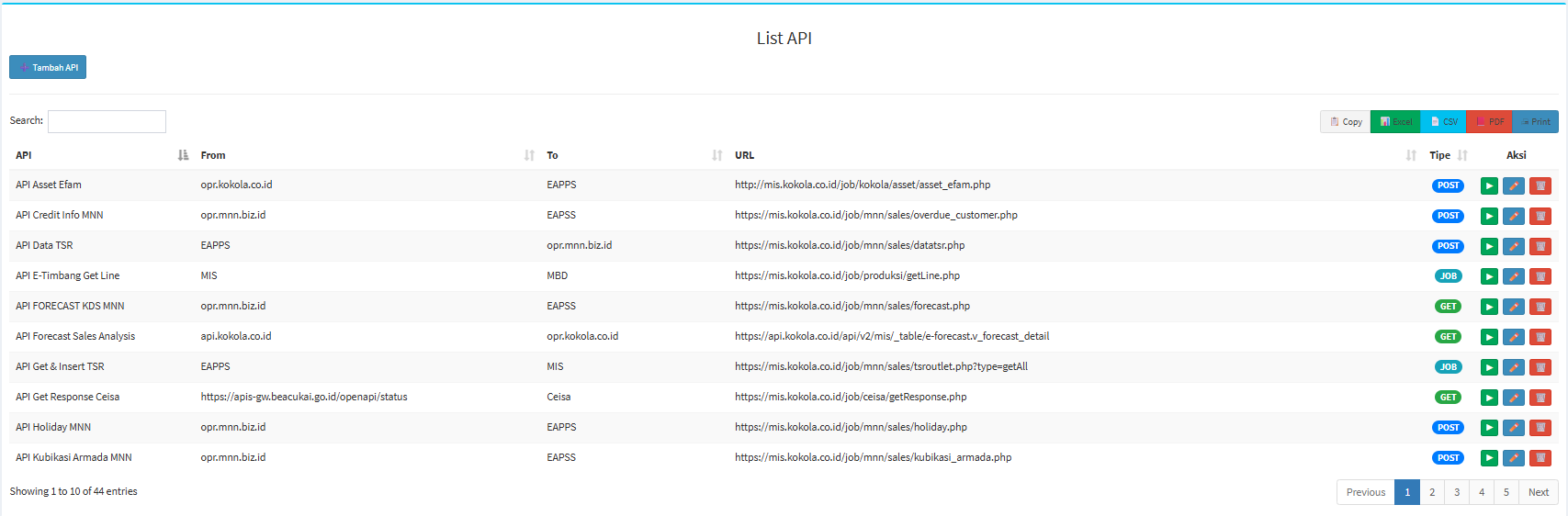
Screen Description
| Section |
Description |
|---|---|
| Add API |
Used to open the API addition form. |
| Search |
Used to search for APIs. |
| Copy |
Used to copy table data. |
| Excel | Used to export to Excel. |
| CSV | Used to export to CSV. |
| Used to export to PDF. | |
| Used to print the API list. |
API List Table
| Coloum | Description |
|---|---|
| API | API Name. |
| From | Source system/application. |
| To | Destination system/application. |
| URL | API endpoint address. |
| Type |
API process type. |
| Action |
Available actions. |
API Types
- GET: Used to retrieve data from the destination system/server.
- POST: Used to send to be processed by the server
- JOB: Used as an internal MIS system type for specific processes/jobs.
Adding an API
Add API
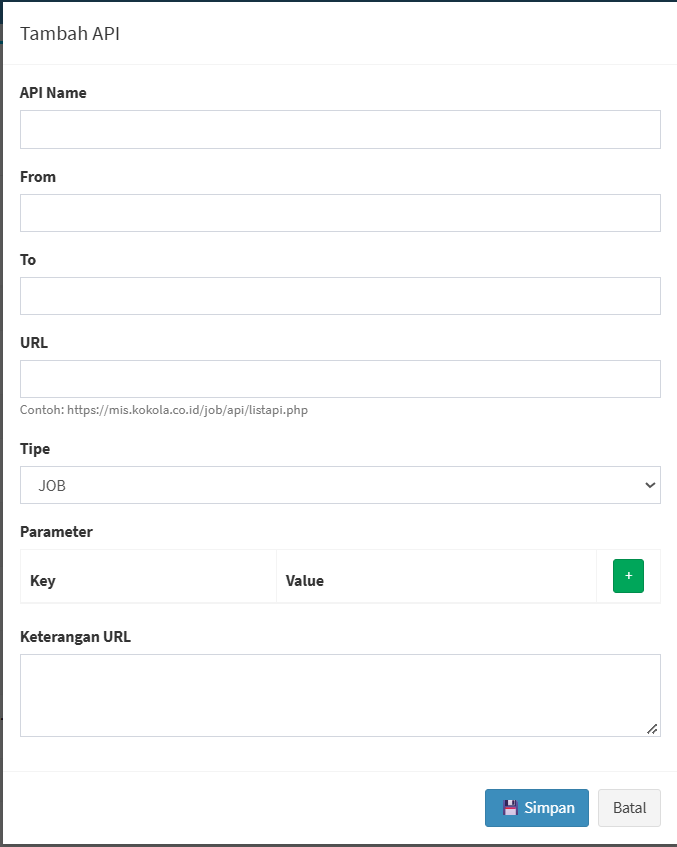
The system will display the Add API form.
| Field | Description |
|---|---|
| API Name | API Name. |
| From |
Source system/application. |
| To | Destination system/application. |
| URL | API Endpoint. |
| Type | Specifies GET, POST, JOB, or other available options. |
| Parameter Key | Parameter value. |
| Parameter Value | Parameter value. |
| + | Add a parameter. |
| URL Description | Provides additional information about the API. |
| Save | Saves the API data. |
| Back | Cancels the addition. |
No comments to display
No comments to display