
BC 4.0
Customs Documents Module Guide
Module Location:
CEISA > Customs Documents > BC 4.0
Page Display
Displays a list of submissions for goods entering the TPB.
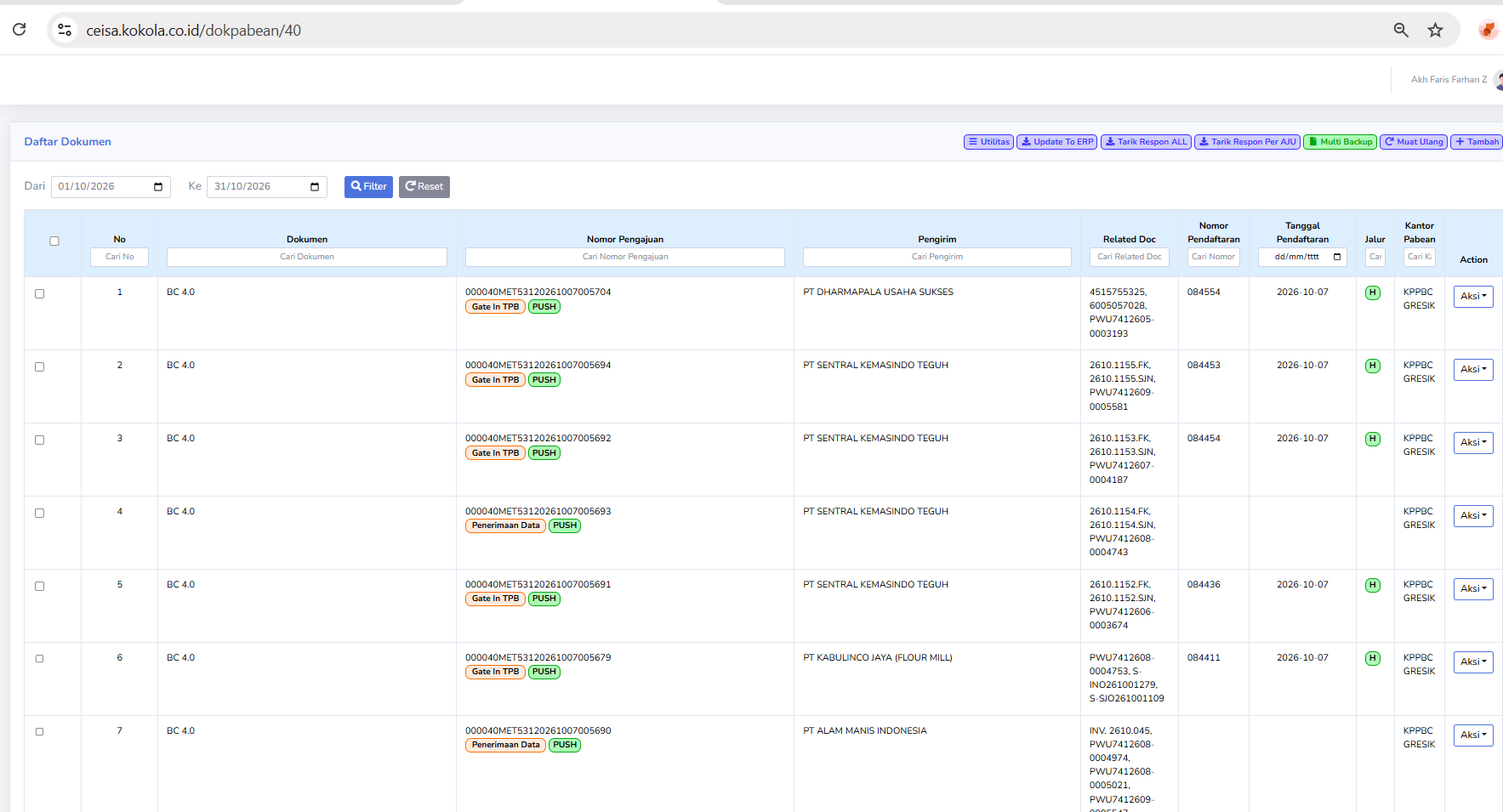
Column Descriptions
ColumnsThe mayavailable columns include:
DocumentNo.: Displays the document’s sequential number in the list.- Document: Displays the type of customs document, namely BC 4.0.
- Submission
NumberNumber: Displays the AJU number as the document submission identifier. SenderSender: Displays the name of the company or party sending the goods.OwnerRelated RecipientDoc: Displays the reference document number related to the submission, such as an invoice or shipping document.- Registration
NumberNumber: Displays the document registration number assigned through the customs process. DateRegistration Date: Displays the date the document was registered.RouteLane: Displays the customs service lane indicator, such as Green Lane or Red Lane.- Customs Office: Displays the Customs Office handling the document.
ActionAction: Displays options for further actions on the selected document.
Usage Steps
- Select a period.
- Click Filter.
- Search for a declaration.
- Check the shipper and consignee.
- Retrieve the latest response.
- Check the registration number.
- Perform follow-up actions.