
BC 2.6.2
Customs Documents Module Guide
Module Location:
CEISA > Customs Documents > BC 2.6.2
Page Display
Based on the screenshot, the page displays information such as:
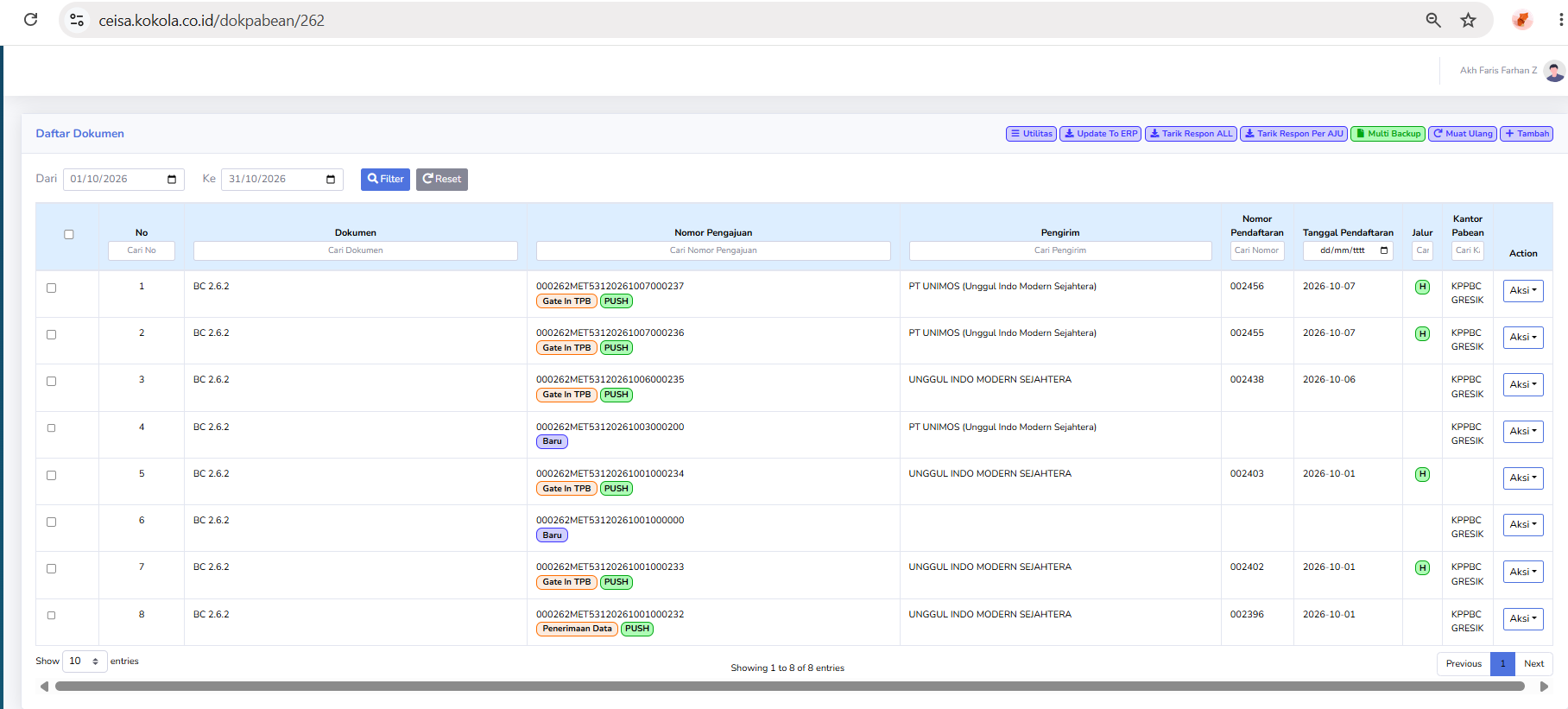
- Document
- Application Number
- Sender
- Registration Number
- Registration Date
- Route
- Customs Office
- Action
Status Description
Visible statuses include:
- New: The document is still in the initial stage.
- Gate In TPB: The goods have been recorded as entering the TPB.
- Data Received: Data has been received by the system.
PUSH
Indicates the transmission or synchronization process from the Local CEISA.
Usage Steps
- Open BC 2.6.2.
- Select a period.
- Search for the document.
- Check the status of the goods.
- Ensure that the TPB Gate In process is recorded if it has occurred.
- Retrieve the latest response.
- Check the registration number and date.
- Use Actions if necessary.