
BC 2.5
Settings Module Guide
Module Location:
CEISA > Customs Documents > BC 2.5
How to Open
- Select Customs Documents.
- Click BC 2.5.
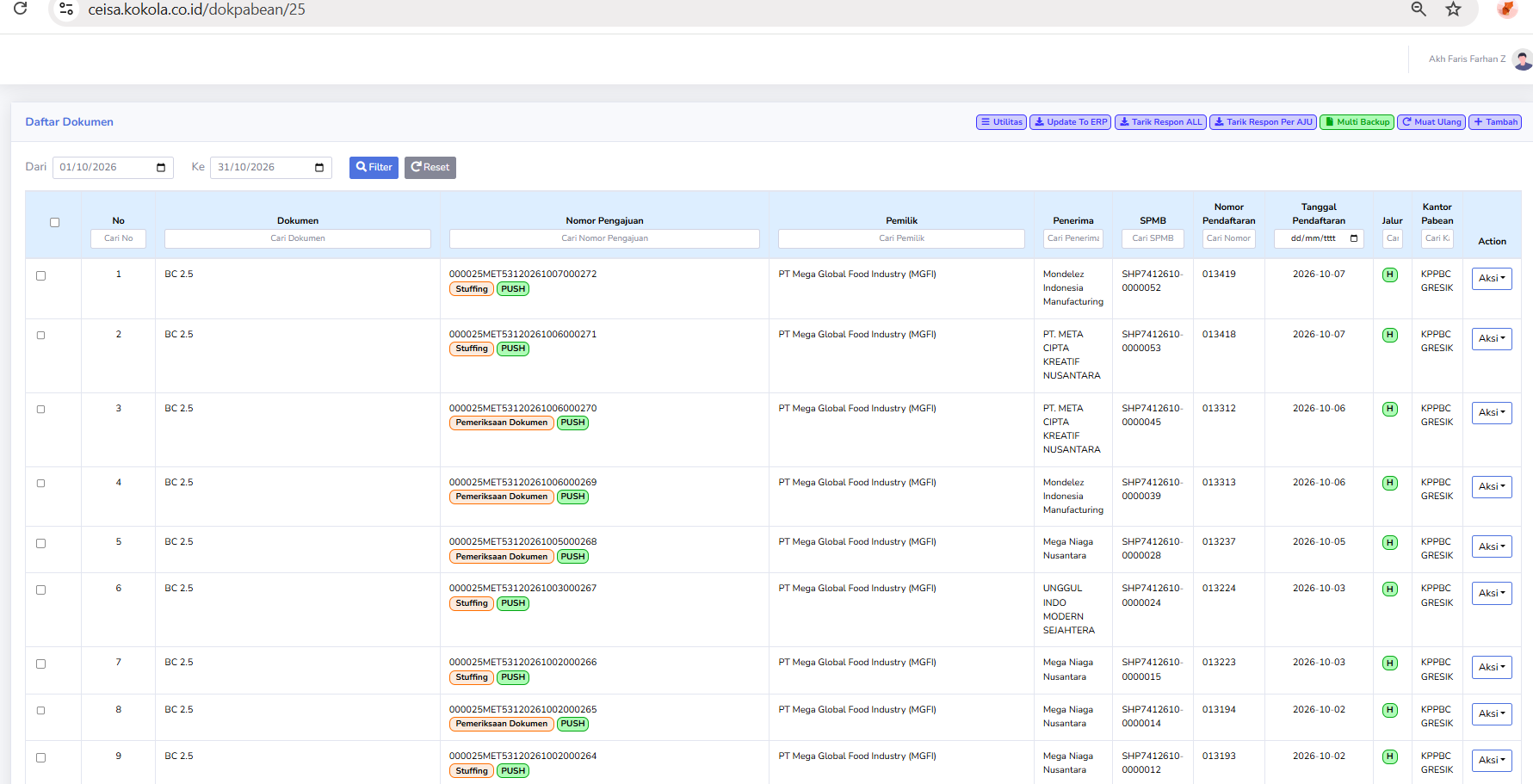
- The system displays the BC 2.5 Document List.
Page View
This page displays:
- Date filter.
- List of documents.
- Submission status.
- Owner and recipient.
- SPMB.
- Registration number.
- Registration date.
- Route.
- Customs office.
- Action.
Column Descriptions
| Checkbox |
Select one or more documents. |
| No |
Sequence number. |
| Documen | Displays BC 2.5. |
| Application Number |
Document identification number. The following statuses may appear in this section:
|
| Owner | Owner of the goods. |
| Recipient | Recipient of the goods. |
| SPMB | Displays SPMB information if available |
| Registration Number | Document registration number. |
| Registration Date | Registration date. |
| Route | Displays the route, if available. |
| Customs Office | Customs and Excise service office. |
| Action | Action options for the document. |
Button Descriptions
| Utilities | Additional document features. |
| Update To ERP | Send or update data to the ERP. |
| Retrieve All Responses | Retrieve responses for multiple documents. |
| Retrieve Response per Application | Retrieve the response for a single application. |
| Multi Backup | Back up multiple documents. |
| Reload | Refresh the view. |
| Add | Create a document. |
Usage Steps
- Select a period.
- Click Filter.
- Search for the Application Number.
- Check the status.
- Retrieve responses.
- Ensure the Registration Number appears.
- Check the date, route, and customs office.
- Click Action if necessary.
- Update to ERP once the data is correct.