
BC 2.3
Customs Documents Module Guide
Module Location :
CEISA > Dokumen Pabean > BC 2.3
Tujuan
How to Access
-
Log in to the CEISA Loka application.
-
Select the Customs Documents menu.
-
Click BC 1.6.
- The system displays the BC 1.6 Document List page.
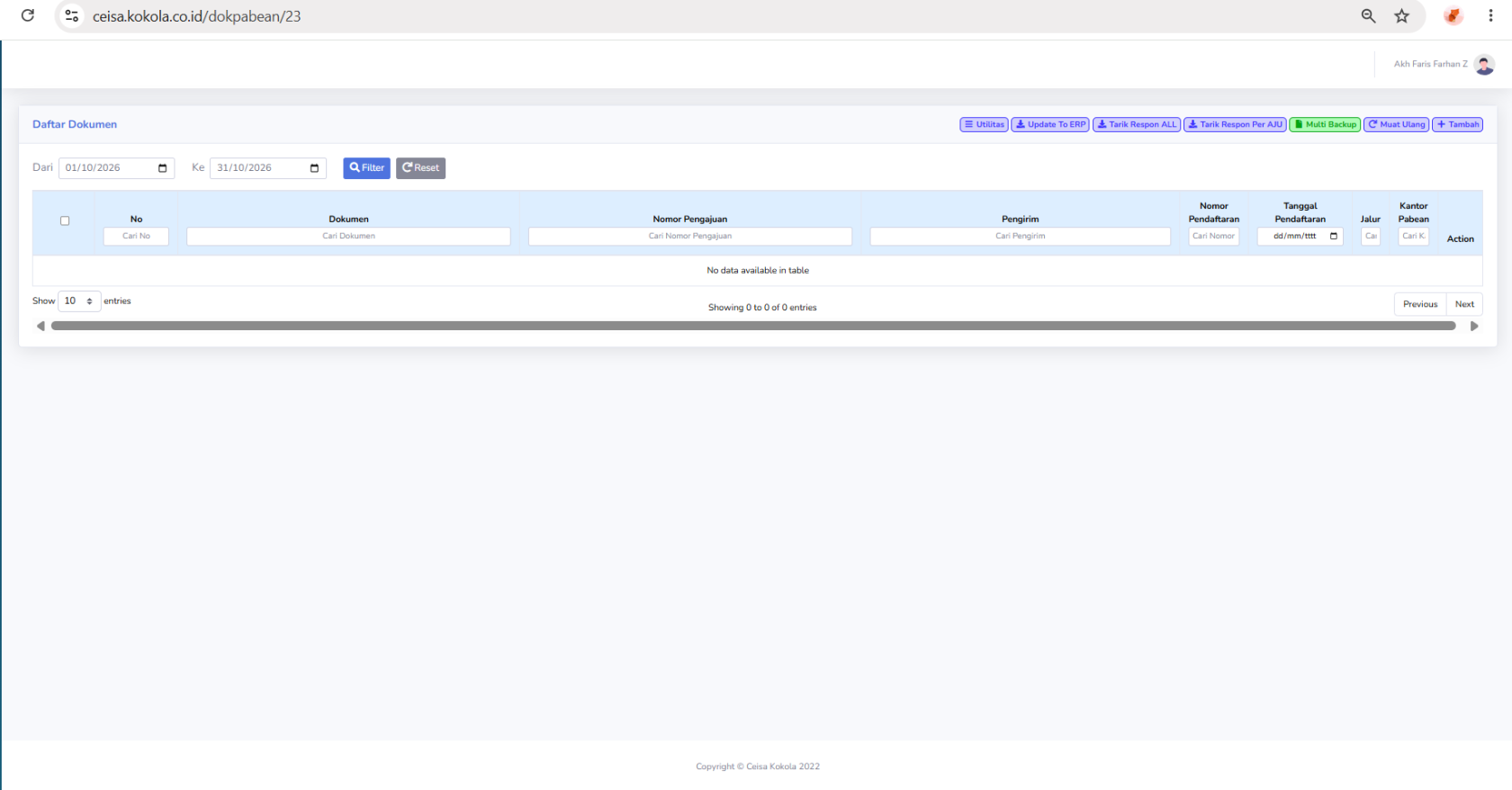
Page Layout
The page layout consists of:
-
Period filter.
-
Document table.
-
Search column.
-
Utility buttons.
- Action menu.
Column Descriptions
| No |
Document serial number. |
| Documen |
Displays BC 2.3. |
|
Submission Number |
Document identification number. |
|
Sender |
Owner of the goods, if available. |
| Owner | The party sending the goods. |
| Recipient | The party receiving the goods. |
| Registration Number | Document registration number. |
| Registration Date | Date the document was registered. |
| Route | Displays the route if available. |
| Customs Office | The Customs and Excise Office handling the document. |
| Action |
Displays action options. |
Button Descriptions
“Filter, Reset, Utilities, Update to ERP, Retrieve All Responses, Retrieve Responses by AJU, Multi-Backup, Reload, Add, and Actions.”
Usage Steps
- Open BC 2.3.
- Specify the period.
- Click Filter.
- Search for the Application Number.
- Check the document status.
- Use Retrieve Responses by AJU to update a single document.
- Ensure the Registration Number appears once the process is complete.
- Perform Actions as needed.