
APPROVAL SETTINGS
MIS Module Guide
Module Location:
Go to Requisition > MIS > Approval Settings
The system will display the Application Change Request page, which contains a list of approval configurations.
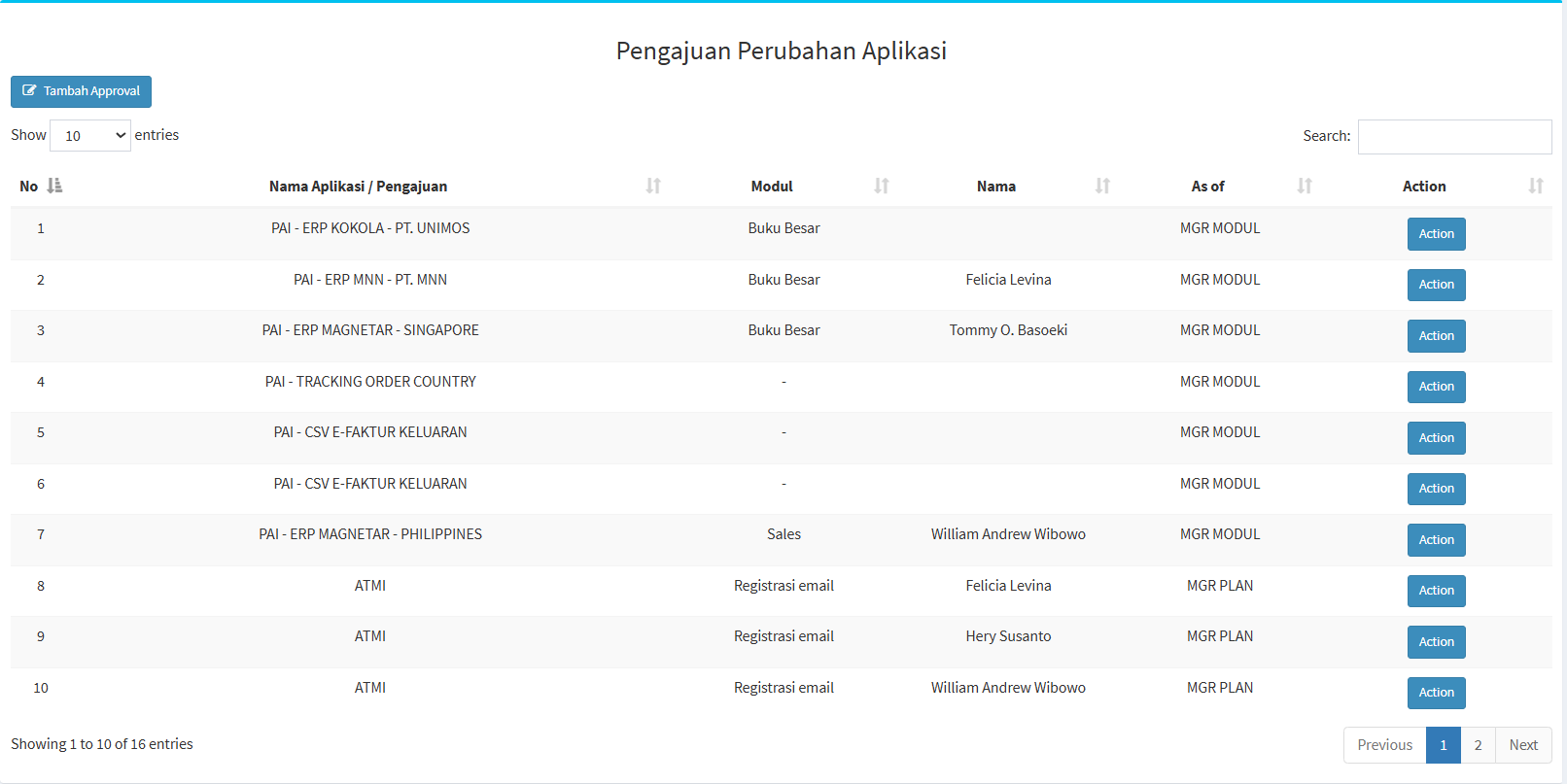
Table Description
| Coloum | Description |
|---|---|
| No |
Sequence number of the data. |
|
Application Name / Request |
Displays the application or type of request. |
| Module |
Displays the module related to the approval. |
| Name |
Displays the name of the party/PIC. |
| As of |
Displays the party’s position or role in the approval process. |
| Action |
Displays the action taken on the configuration. |
The “Show Entries” feature is used to set the number of records displayed, while “Search” is used to find specific configurations.
Adding an Approval
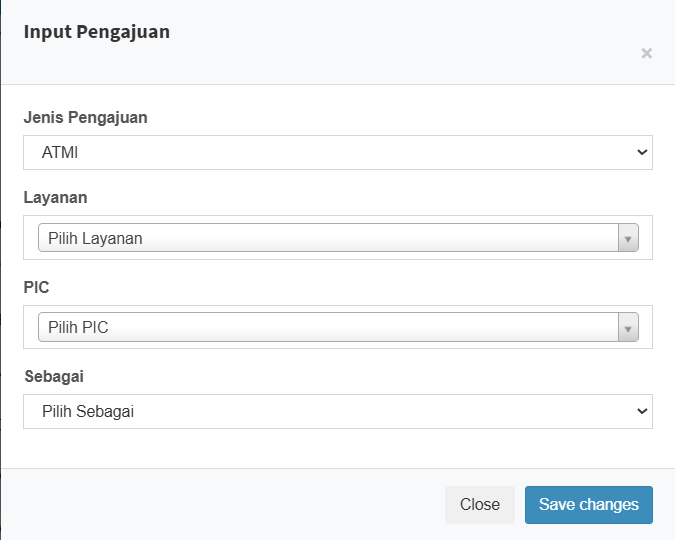
| Field | Description |
|---|---|
|
Request Type |
Used to select the type of request to be configured. |
|
Service |
Used to select the associated service. |
| PIC |
Used to specify the PIC. |
|
As |
Used to specify the PIC’s role in the approval process. |
| Close |
Closes the form without saving. |
| Save changes |
Saves the approval configuration. |
Usage Steps
- Select the Request Type.
- Select the Service.
- Specify the PIC.
- Select a role in the “As” field.
- Review your selections.
- Click “Save changes.”