Mail Kokola Zimbra Collaboration
Segala Tentang Zimbra
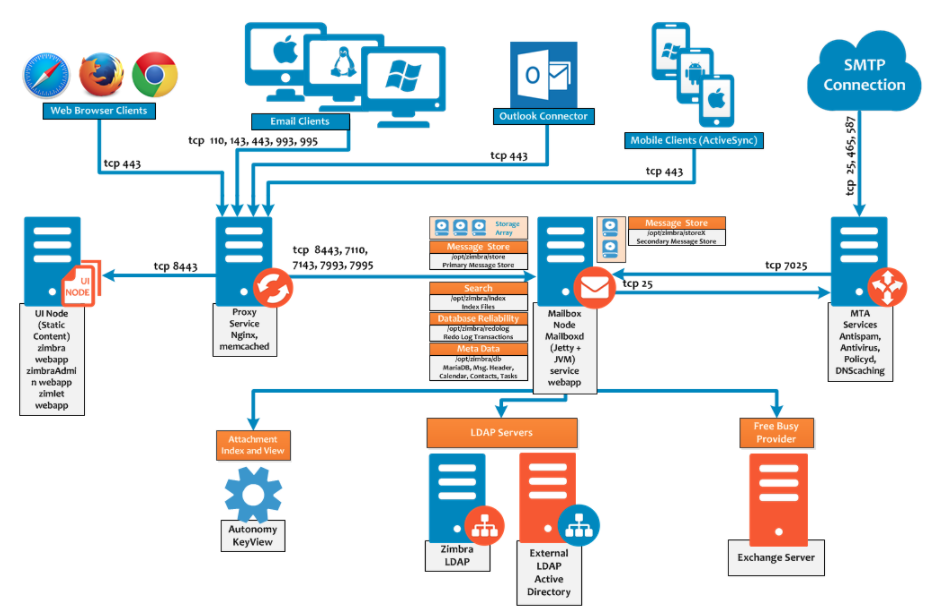
Mail Zimbra Architecture
Flow Architecture
Servers Support
Here are the servers needed for EMAIL to work
1. Web Mail
- Provides browser-based email access for users who don’t use dedicated email clients.
2. IMAP/POP Server
- Handles incoming email and allows users to retrieve messages. IMAP supports multi-device sync; POP3 is simpler and downloads emails locally.
3. MTA (Mail Transfer Agent) server
- Software like Postfix, Exim, or Sendmail that routes outbound and inbound emails between servers.
4. MDA (Mail Transfer Agent) server
- Delivers email into users’ mailboxes, often paired with MTA systems.
5. SMTP Relay server
- An SMTP relay server securely forwards outgoing email messages from a sender's server to the recipient's email server across the internet.
6. Antivirus Server
- An antivirus server scans, detects, and removes malware from network-connected devices and email traffic to protect enterprise systems from cyber threats.
7. Authentication Server (LDAP / Active Directory)
- Manages user identity and permissions, often connected to internal directory services.
8. Email Archive/Retention Server
- Stores emails securely for legal, compliance, and business continuity reasons.
9. Spam Filtering / Anti-Spam Gateway
- Detects and blocks spam messages using blacklists, heuristics, or AI-based algorithms.
10. Encryption or Public Key Infrastructure (PKI) Server
- Manages digital certificates and email encryption for secure end-to-end communication.
11. Monitoring & Logging Server
- Tracks system health, email traffic, errors, and suspicious behavior for audits and diagnostics.
12. Backup & Disaster Recovery Server
- Performs regular backups and ensures recoverability of email data in case of failure or attack.
Mail User Settings
Objective
With the Zimbra solution, OVHcloud offers an open-source collaborative messaging platform with all the features you need for professional use. This guide helps you choose the configuration method suited to your Zimbra plan and your email client.
Find out which method to choose to configure your Zimbra email account on the email client of your choice.
#Requirements
A subscription to an email account on one of our Zimbra solutions (Zimbra Starter or Zimbra Pro).
An email client installed on the device of your choice.
The login credentials for the email address to configure.
POP
Username: arief@kokola.co.id
Password: password for the email address
Port: 995
Security type: SSL/TLS
Server (incoming): mail.kokola.co.id
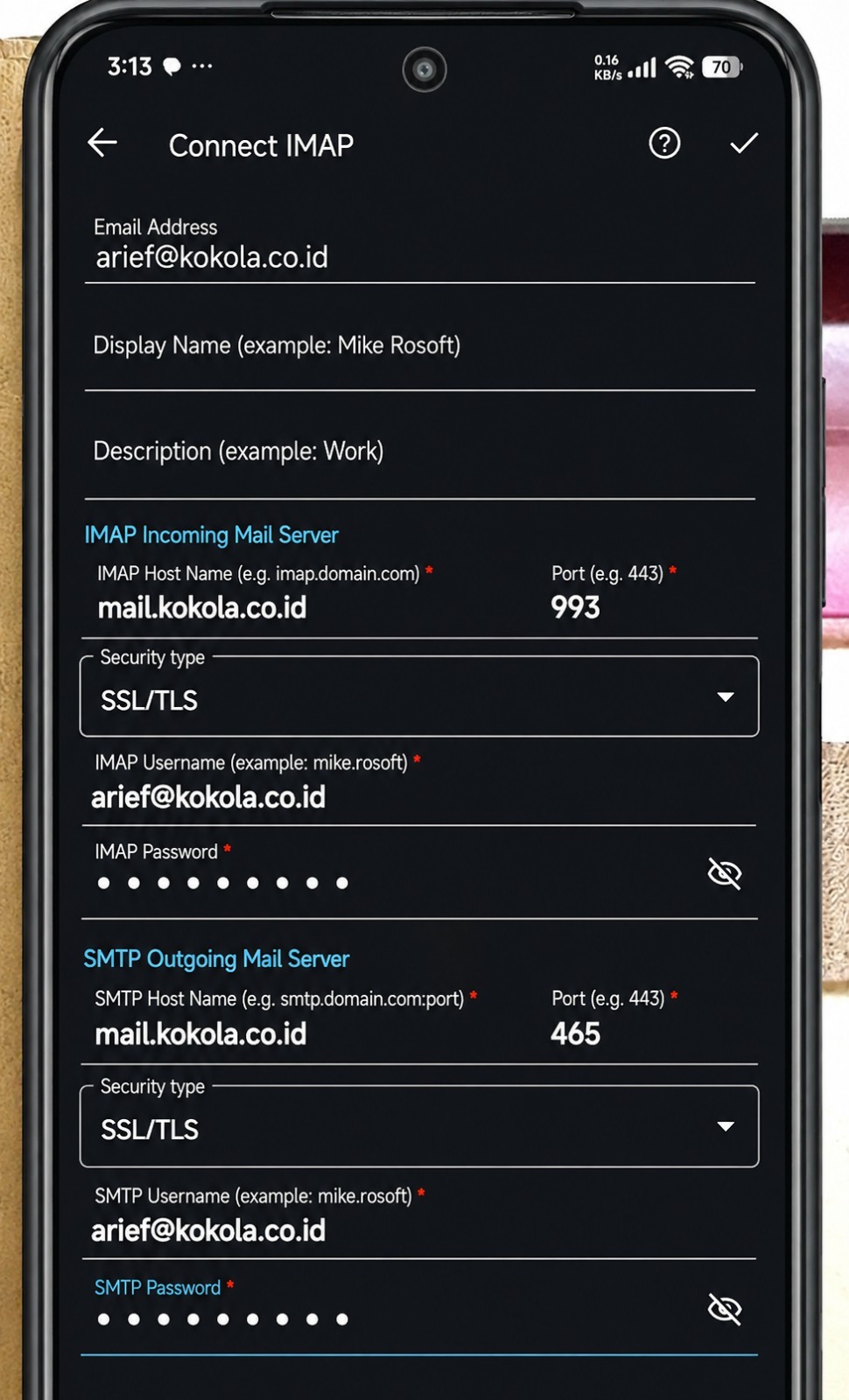
IMAP
Username: arief@kokola.co.id
Password: password for the email address
Port: 993
Security type: SSL/TLS
Server (incoming): mail.kokola.co.id