BC 4.1
Customs Documents Module Guide
Module Location:
CEISA > Customs Documents > BC 4.1
Page Display
The BC 4.1 page displays:
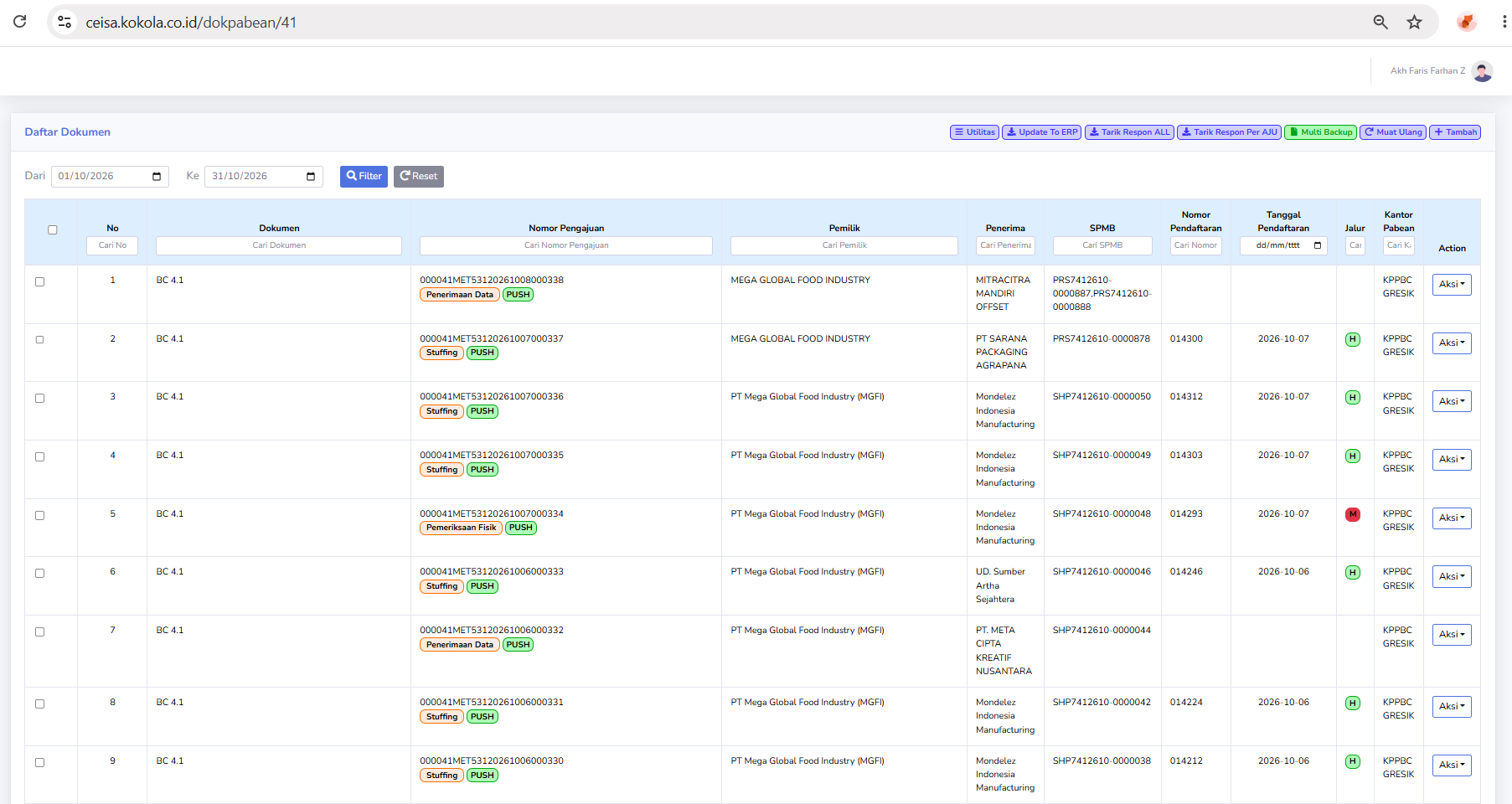
- Declaration Number
- Owner
- Recipient
- SPMB
- Registration Number
- Registration Date
- Route
- Customs Office
- Action
Status Description
Statuses appear as follows:
- Data Received: Indicates that data has been received at this stage of the process.
- Stuffing: Indicates the process of loading goods.
- PUSH: Indicates the data transmission/synchronization process.
Usage Steps
- Open BC 4.1.
- Select a period.
- Search for a submission.
- Check the owner and consignee.
- Check the status.
- Retrieve the latest response.
- Ensure that the SPMB, Registration Number, and date are available if the process has reached that stage.
- Click Action if there are further steps.