ATMI
Access Requisition Module Guide
Module Location:
Access Requisition > Requisition ATMI
The ATMI (Access to Information Media Transfer) request is used to create requests related to access to information media transfer through the Access Requisition system. This page allows you to create a new ATMI request, view the list of requests currently displayed in the system, and view the history of previously submitted ATMI requests.
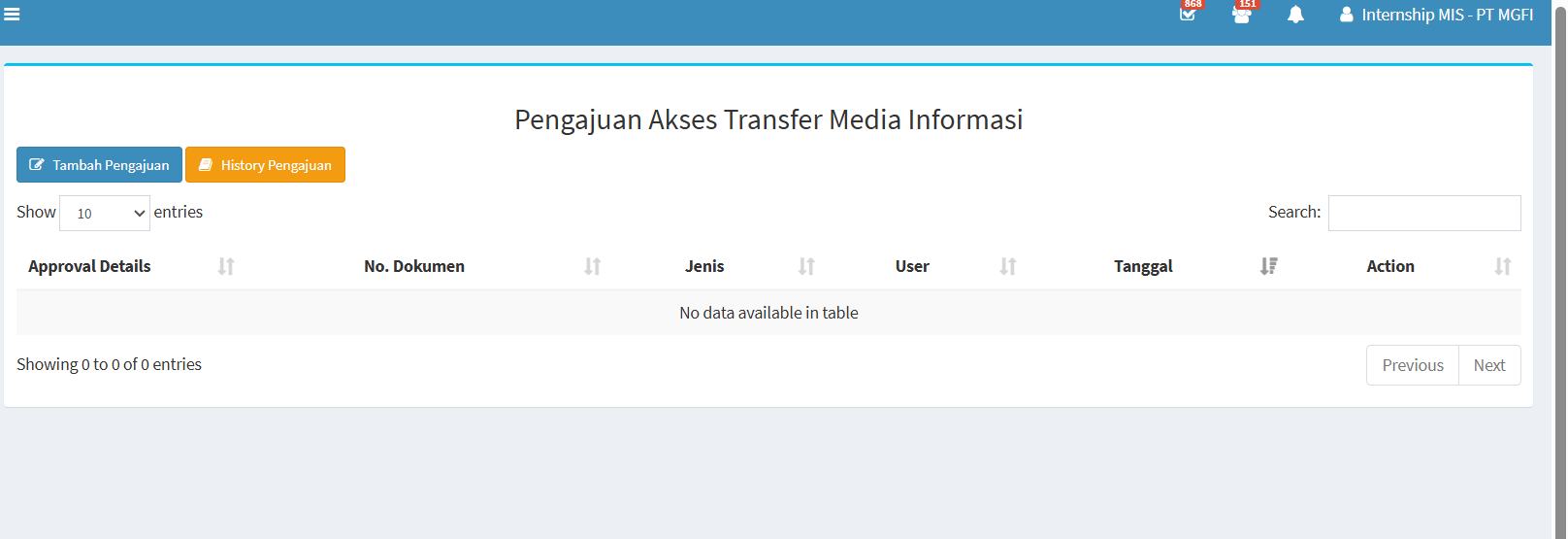
This page contains several main functions: Add Application, Application History, the application list table, the search feature, and settings for the number of records displayed.
|
Section |
Description |
|---|---|
|
Tambah Pengajuan |
Used to create a new ATMI application. |
|
Application History |
Used to view the history of previously submitted ATMI applications. |
|
Show Entries |
Used to specify the number of records displayed in the table. |
|
Search |
Used to search for specific data in the application list. |
|
Approval Details |
Displays information related to the application approval process or details. |
|
Dokumen No. |
Displays the ATMI application document number. |
|
Type |
Displays the type of application submitted. |
|
User |
Displays the user associated with the application. |
|
Date |
Displays the date the application was created or recorded in the system. |
|
Action |
Displays the actions available for the application data. |
|
Previous / Next |
Used to navigate to the previous or next page of data if there is more than one page of data. |
-
Add Request
To create a new ATMI request:
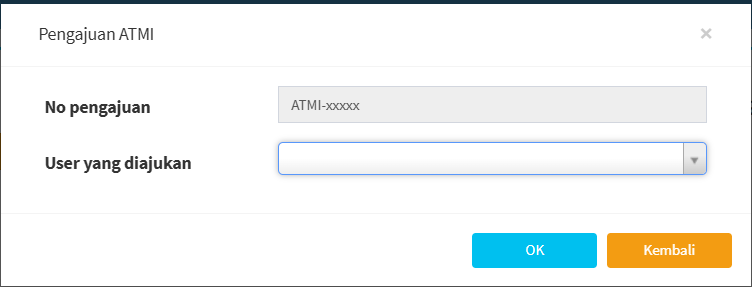
- First, click “Add Request.” Once you click the button, the ATMI request form will appear.

- On the ATMI request form, there is a “Request No.” field.
The application number is displayed in the following format:
ATMI-xxxxx - In the “User Being Applied For” field, click the available options and then select the user for whom you want to create the ATMI application.
- Make sure the selected user is correct before clicking the “OK” button.
-
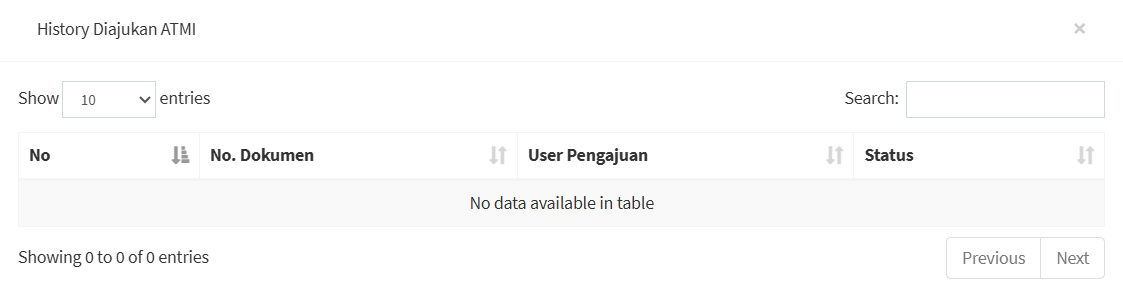
Request History

The Request History menu is used to view the history of ATMI requests. To view the request history, click the Request History button on the ATMI main page. The system will display the ATMI Request History page or pop-up.